



A few weeks ago I sent my paid readers a short email asking what they wanted me to write next.
The replies were good. Better than I expected. But they created a small problem for me.
I could turn every one of those replies into a paid post. The issue is that not every reply actually deserves one. Some of them are a real implementation system with enough setup, files, and checks to justify a full AI Maker Lab guide. But a lot of them are a single skill, a small workflow, or a tweak that I can show you in ten minutes.
So instead of stretching a simple workflow into a deep post just to fill a slot, I decided to compile the smaller ones into a live session and show them in one sitting.
That is what the monthly teardown is for.
This was the second one.
Last month we ran it more like a Q&A, where people submit questions and I answer them. It was helpful, but I felt like it was missing the more valuable part, which is taking a real case and showing the workflow or the skill behind it. So this time I shifted the format. Dheeraj Sharma joined me as co-host, monitored the chat, and pushed back on me a few times, which is exactly why having him there is useful.
We worked through six reader questions, plus two bonus workflows I had found on the internet and wanted to test out. I will share the skills and templates in this post.
Why I Bucket Reader Ideas Before I Build Anything
Before we get into the questions, here is the filter I used, because it shaped the whole session.
When a reader tells me what kind of posts they want me to write next, I sort it into one of two buckets:
The first bucket is a full paid post. This is something that needs role design, company context, multiple files, decision rules, logs, and a maintenance loop to actually work. From this batch, two ideas passed that test: an AI board of advisors for business owners, and an AEO page generator built around a real website. Both of those are coming as their own posts later.
The second bucket is the teardown. This is the smaller stuff. A skill, a single workflow, a setup question that is better answered by showing the thing running and where it breaks than by writing five thousand words about it.
This was important because most of the replies I got were not actually asking for a bigger system. When I read them together, the pattern underneath was the same. People were not asking for more AI agents. They were asking how to move work from one place to the next without losing it. Chat to action. Transcript to ideas. Document to slides. The agent part was rarely the problem. The handoff between steps was.
That framing carried through almost every question we covered.
What You Walk Away With
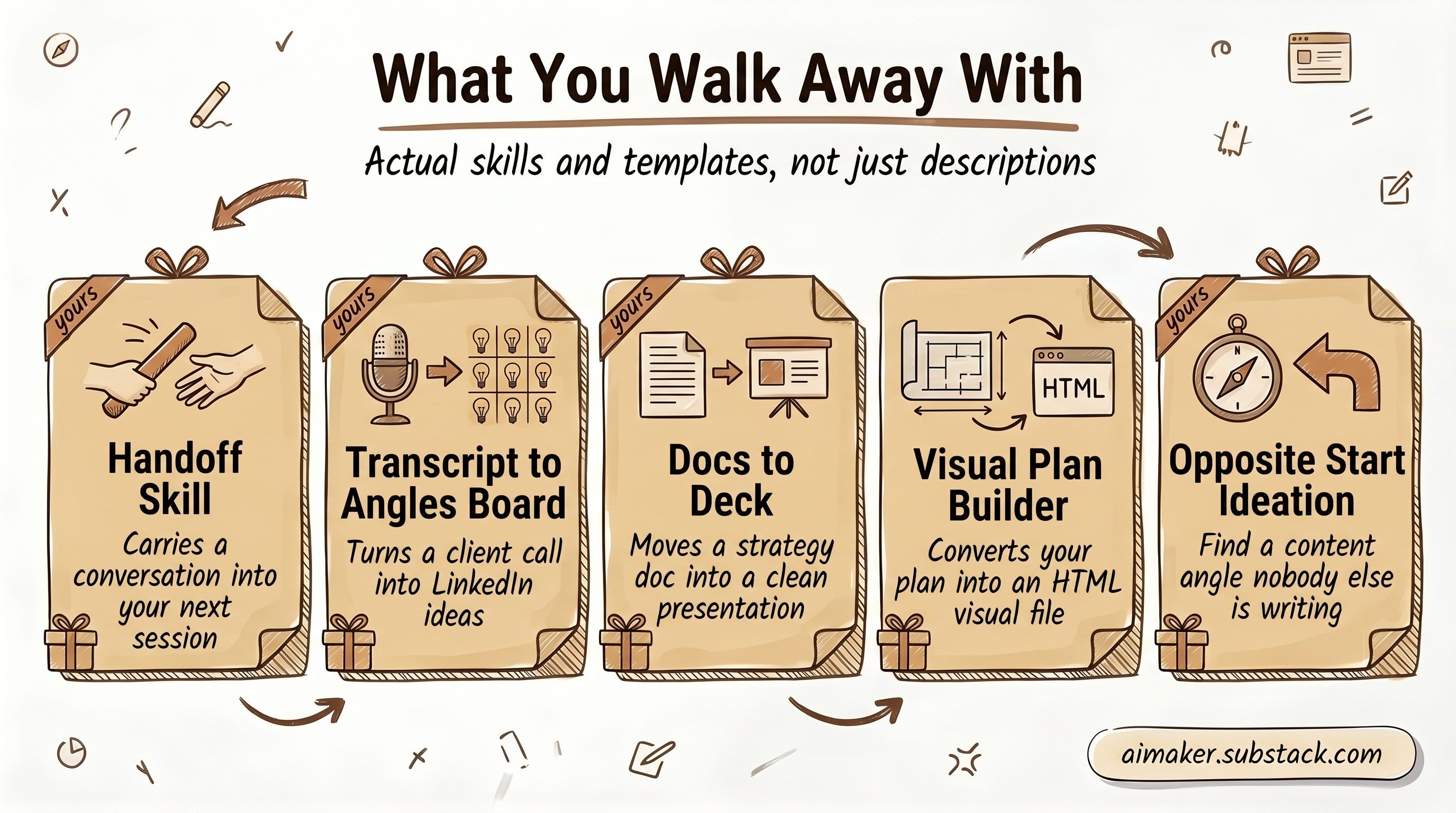
Everything I show in this post is yours to keep, the actual skills and the templates behind them, not just a description of how they work:
The handoff skill that carries a conversation into your next session.
The transcript to angles board that turns a client call into LinkedIn ideas.
The docs to deck skill that moves a strategy document into a clean presentation.
The Visual Plan Builder that convert your plan into HTML visual file
And Opposite Start Ideation for finding a content angle nobody else is writing.
Each one comes with the template, ready to drop into your own setup and run this week.
So read for the question that matches a problem you have, take the skill attached to it, and use it.
Question One: The Decision That Disappears Three Days Later
The first question described a problem I think a lot of people have. He has a great conversation with AI, makes some decisions, lines up next steps, and then a few days later all of that is gone. The reasoning vanished. He could not pull a real action out of the conversation later.
My answer is a skill I use called handoff.
The idea is simple. Every time you finish a real working session with AI, you do not save the whole conversation. You run something that summarizes what happened, where you landed, and what the next step is, and it writes that into a new file you can open later. When you start the next session, you point the agent at that file and pick up from there instead of starting cold.
The way I run it, I have a conversation in Codex, trigger the handoff skill, and it drops a summary file into a folder. Then I open Claude Code and ask it to review that output, since it was written by a different model. So one tool does the work, the other checks it.
Dheeraj made a good point here that reframed the question. What I was showing was the execution side, how to do the handoff. But the deeper need was memory: how do you manage the conversations that already happened so the AI can reference them in future decisions. His take was that a log file gets you most of the way there as a starting scaffold, but you have to keep optimizing it, because you cannot let it grow forever without hitting the context limit.
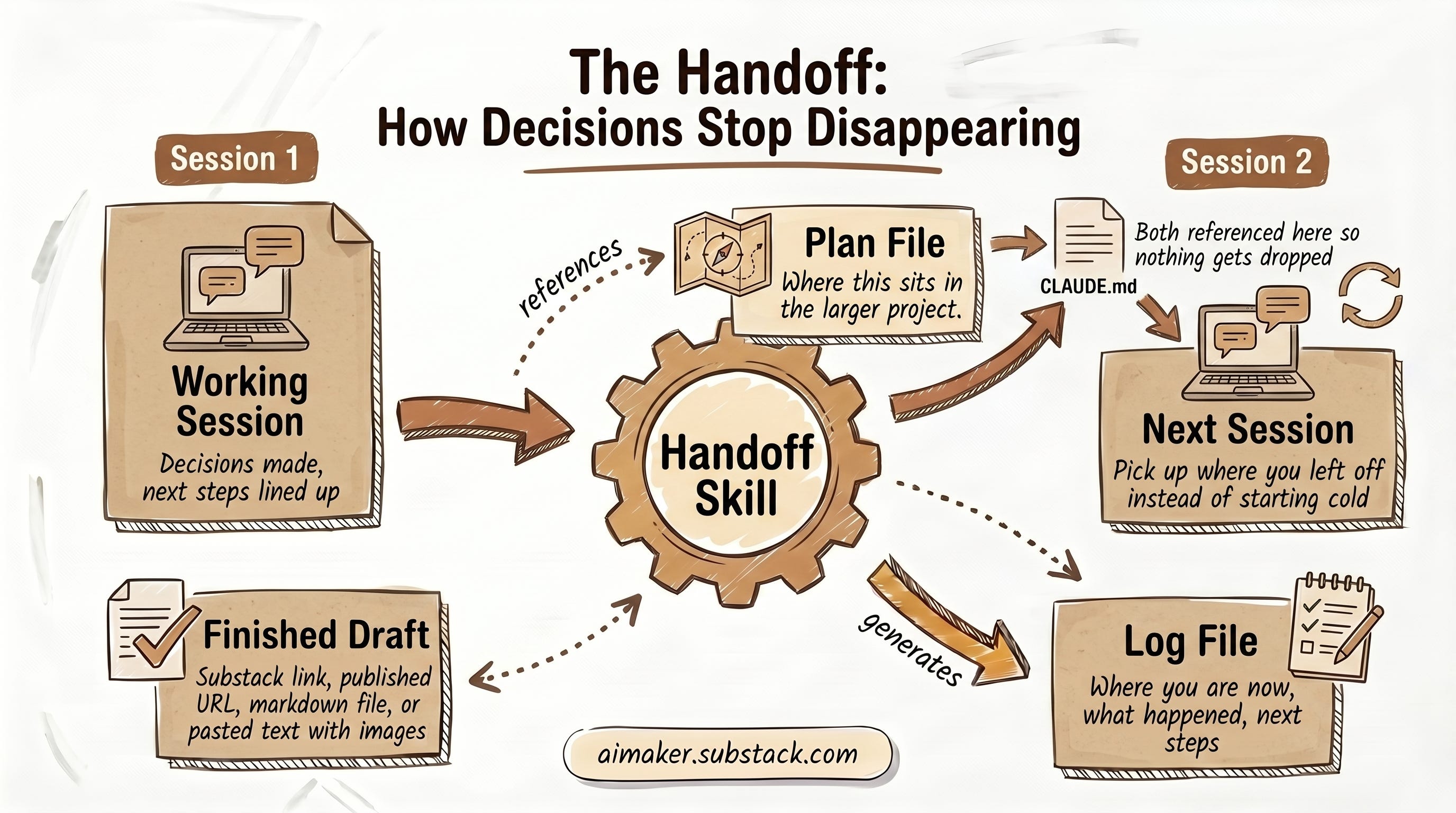
We landed on a two-file shape. A log for what is happening in the session, where you are and what the progress is. And a plan file for the bigger thing you are working toward. The log tells you where you are right now. The plan tells you where that sits in the larger project. Both get referenced in your CLAUDE.md so they do not get dropped every time you close a session.
One thing we both agreed on: this does not work well in a plain chat window. Chat has its own context limit, and once you load too much past history it stops making progress. A project folder or a Code session can auto compact and keep going. Although I will add that I do not love relying on auto compact, because you never really know what it kept and what it threw away. I would rather have my own compacting workflow that I can trust, tuned to how I actually want to resume work.
You can grab the handoff skill below:


