

How to Use GLM 5.2 Inside Claude Code for Pennies
Local AI models are getting close enough to test, and OpenRouter makes it easy to plug in.



One trend I keep seeing in AI right now is that the gap between local models and the top labs is getting smaller.
For a long time, the tradeoff felt obvious. If you wanted the best coding model, you paid Anthropic or OpenAI. If you wanted local control, you accepted weaker output, more setup, and a lot of hardware pain.
That tradeoff is starting to change.
And I think there is another reason people are starting to pay attention to local and open-weight models now.
Access is starting to feel less guaranteed.

Anthropic had to disable Fable 5 and Mythos 5 after a US export-control directive. OpenAI’s GPT-5.6 rollout was also limited to a small group of trusted partners after a government request. Whatever you think about the safety reasons, the pattern is hard to ignore: the most capable models may not always be available to everyone at the same time.
That makes me uncomfortable, to be honest.
I do not want a future where the highest‑end AI models are only available to a small, approved group of people, while everyone else waits for permission. AI has democratized intelligence, but access? Not yet.
I do not know exactly where this goes, and maybe some restrictions are temporary. But if access to the best intelligence is something you care about, I think it is worth slowly learning the alternatives now.
Not because you need to abandon Claude or OpenAI tomorrow.
But because local and open-weight models are becoming good enough to deserve a place in your AI workflow. They give you another option when access changes, prices go up, or the model you rely on suddenly becomes harder to use.
That is where GLM 5.2 gets interesting.
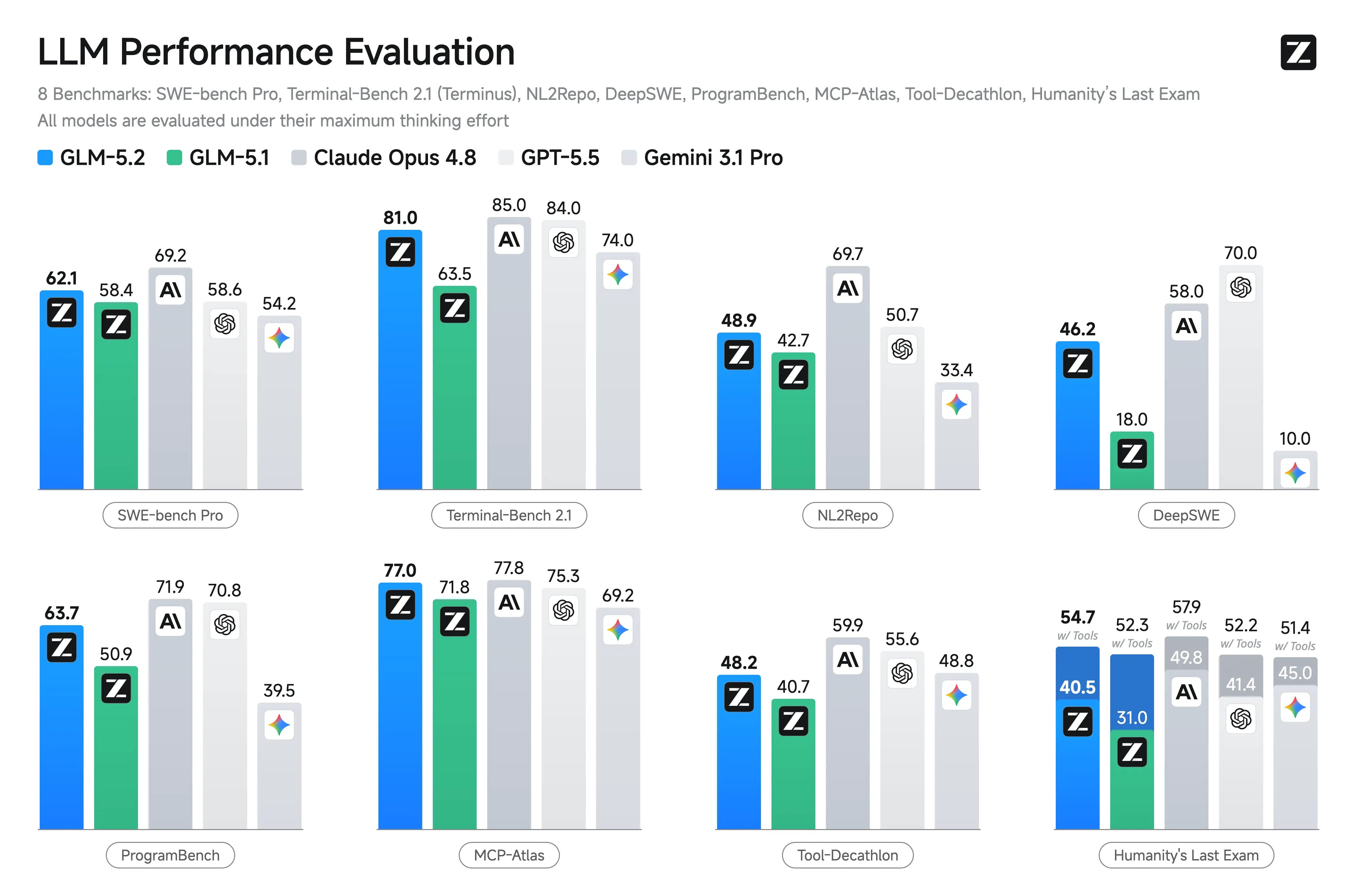
Z.ai says it trails Claude Opus 4.8 by only 1% on FrontierSWE, and its docs show it landing close to Opus 4.8 on Terminal-Bench too. Benchmarks are not the whole story, but they are enough to make this worth testing instead of ignoring them completely.
If you’ve been following AI news lately, you have probably seen GLM 5.2 everywhere. People are talking about it. People are FOMO-ing into it. And more broadly, more builders are starting to ask whether they should move some of their work away from closed frontier models and toward local or open-weight models.
But there’s a catch.
And the catch is hardware. Yes, GLM 5.2 is open-weight. Yes, you can run it locally. But the realistic local path still points toward expensive high-memory machines, not the 16GB computer most people already own, whether that is a laptop, Mac mini, or whatever is sitting on their desk right now.
That is why I wanted to share Gencay’s walkthrough.

If you have been reading AI Maker for a while, you may already know Gencay. He is the creator of LearnAIWithMe, and he has contributed several practical builds here already, including:
How I Built SEO Optimized Content Machine Using Claude Cowork and Apify
I Built a Financial Dashboard with 5 Sub-Agents in Claude Code.
What I like about Gencay’s work is that he does not just react to AI news. He tests the thing, builds with it, and shows where it actually fits.
In this post, he tests the version most of us can actually try first: GLM 5.2 through OpenRouter and Cloudflare Workers AI, connected to the coding tools people are already using: Claude Code. You don’t need an expensive local machine. You also don’t need a giant hardware decision before you know whether the model is useful for your work.
He tested the version most of us can actually try first: GLM 5.2 through OpenRouter and Cloudflare Workers AI, connected to the coding tools people are already using. You don’t need to pay for an NVIDIA DGX that can cost you $3,000 to $5,000.
Start with the rented version. Build something small. See where it feels close enough to Opus, and where it still falls short.
Then decide whether local AI is something you actually need, or just another thing the internet has made you feel behind on.
If you want to follow more of Gencay’s own work, here are three posts worth checking out:
Claude Fable 5 Died in 90 Minutes. So I Rebuilt My Agent to Need No Frontier Model.
3 Claude Loops That Will Put You Ahead of 99% of Claude Users
I’ll let Gencay walk you through the setup and the test.
Hello 👋
A friend messaged me last week, have you tried GLM 5.2?
My honest answer: GLM 5.2 needs nearly 256 GB of RAM. My Mac Mini has 16 GB. Running it locally? Not a chance.
So I almost dropped it. (That’s when I remembered you don’t need to run on your computer.)
Turns out, you can test it through the web, and you can also pipe GLM 5.2 straight into Claude Code (yes, the same terminal you already use for Opus) and get a coding agent that performs between Opus 4.7 and 4.8 capabilities—for pennies.
An API key from OpenRouter, or Ollama Cloud if you have a paid membership, will do the trick. I saw an X post suggesting you can do this for free through Cloudflare, but the demand is too high, so it might not work as it’s supposed to. It is totally free, though, so I’ll show you this too.
I’d also show you how to set it up with OpenRouter. Then I’ll build a Pomodoro timer with it, build the exact same thing with Claude Code, and compare the results.
But first…
What is GLM 5-2?
GLM 5.2 is Z.ai’s open-source model.
An open‑source model is one whose weights are public. The company that built it puts the real model online, and anyone can download it and run it on their own machine. The model is yours to keep, and nothing charges you for using it.
Other models like Opus or GPT work the other way. You never hold the model itself; you rent access to it through a key. GLM 5.2 is the open kind, which is why you can run it for free if your hardware can handle it.
But the wall is the hardware. The full model wants around 256 GB of RAM, so unless you own a server, downloading it is off the table.
Here are the benchmarks.
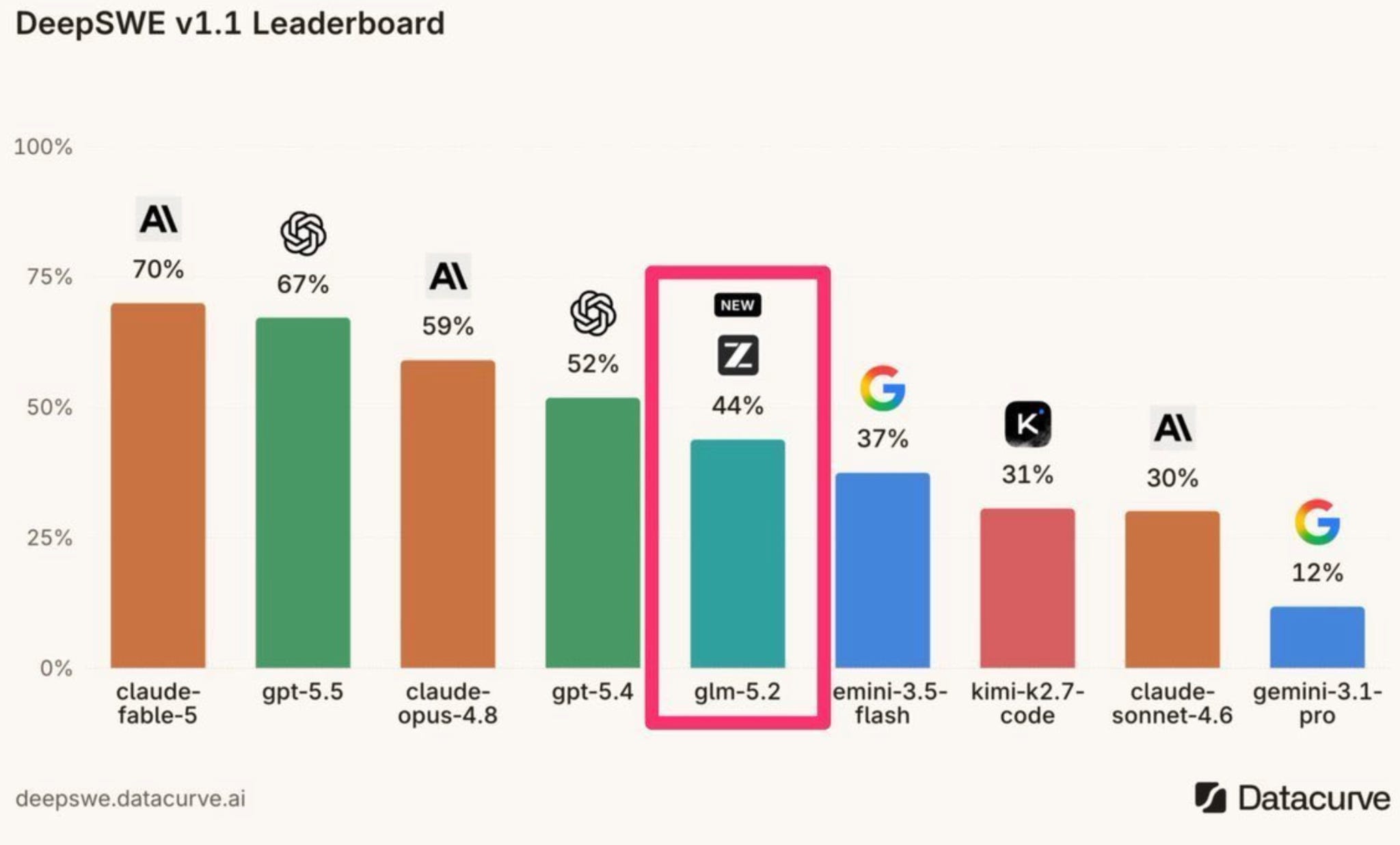
It’s odd to see that it is better than some frontier models, like Sonnet 4.6 and Gemini 3.5, and almost as good as Claude Opus 4.8.
Before we run tests to compare GLM 5.2 and Opus 4.8, let me show you how to set it up.
Setting Up GLM 5-2
There are two routes that get you GLM 5.2 without a 256 GB machine:
OpenRouter runs inside Claude Code for a few cents
Cloudflare runs through OpenCode for free
I’ll walk through both.
1. GLM-5.2 on OpenRouter
First, what OpenRouter is?
It is a single doorway to hundreds of AI models. With one account and one key, you can reach GLM 5.2, Opus, Gemini, and almost any model, paying only for what you use.
Instead of opening a separate account with every provider, you go through OpenRouter and pick the model by name.
Here we point it at GLM 5.2.
So you add credit, get a key, and Claude Code routes every request to GLM 5.2 instead of Opus.
Five minutes of setup and you’re coding.
Visit Openrouter and open a new account.
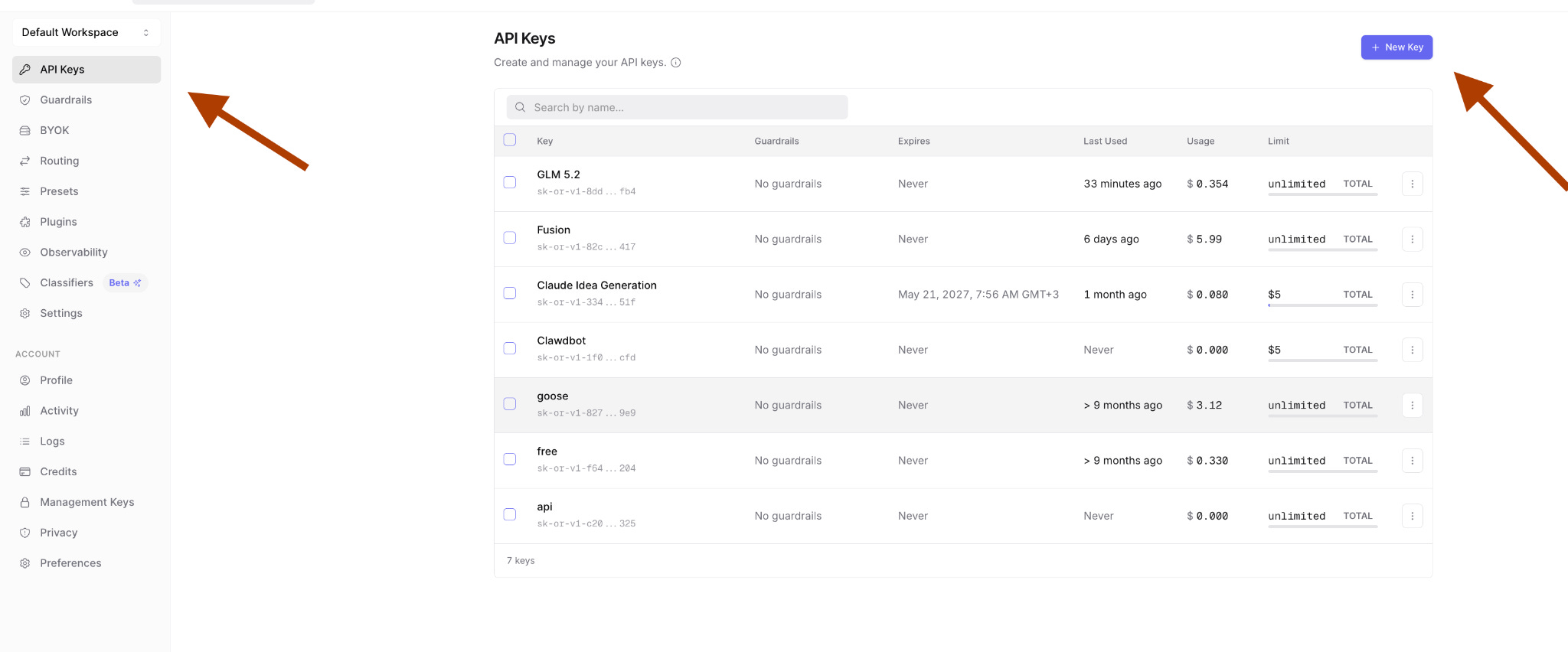
Click “API Keys”, then “New key”.
Name the key and set a credit limit if you want one.
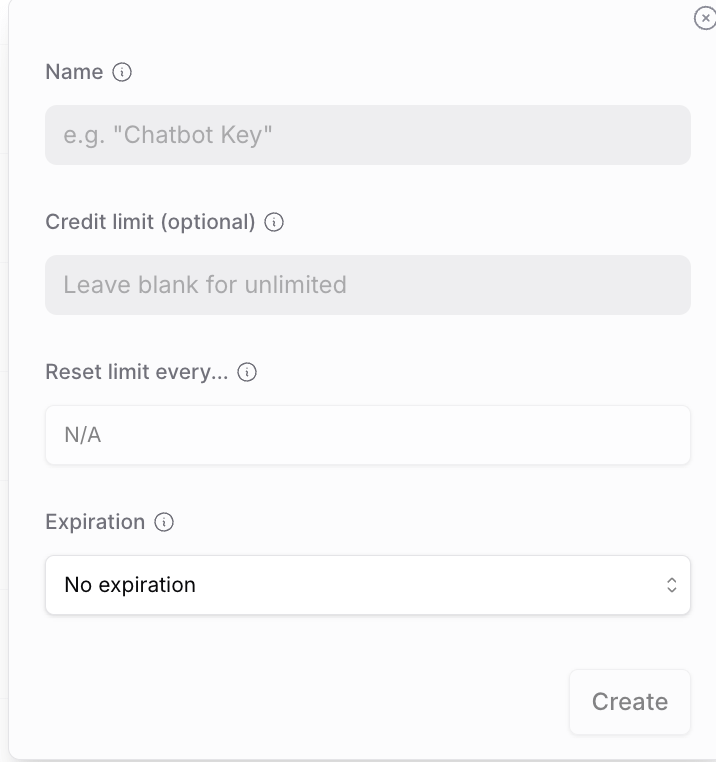
Copy the key. Paste this into your terminal and swap in your token.
ANTHROPIC_BASE_URL=”https://openrouter.ai/api” \

ANTHROPIC_AUTH_TOKEN=”token-here” \

ANTHROPIC_MODEL=”z-ai/glm-5.2” \

ANTHROPIC_DEFAULT_OPUS_MODEL=”z-ai/glm-5.2” \

ANTHROPIC_DEFAULT_SONNET_MODEL=”z-ai/glm-5.2” \

ANTHROPIC_DEFAULT_HAIKU_MODEL=”z-ai/glm-5.2” \

ANTHROPIC_SMALL_FAST_MODEL=”z-ai/glm-5.2” \

CLAUDE_CODE_SUBAGENT_MODEL=”z-ai/glm-5.2” \

claude --strict-mcp-config
To be clear, this is the same Claude Code you already opened in your terminal.
The one thing that changed is the brain behind it.
Every request now runs on GLM 5.2 instead of Opus, and you can see it at the bottom of the screen, z-ai/glm-5.2.
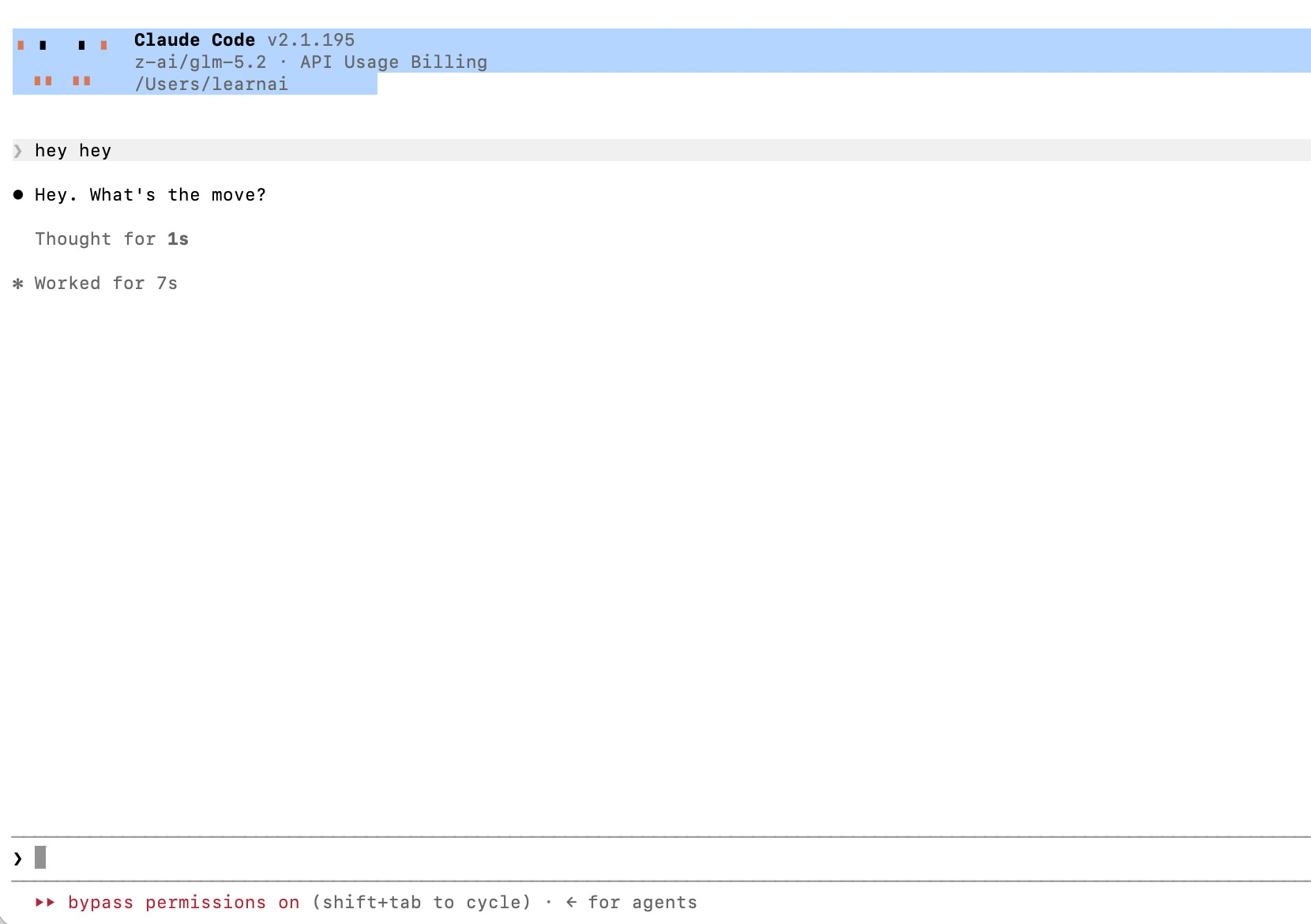
Every command from here runs on GLM 5.2. The terminal looks the same. The bill does not.
2. GLM-5.2 on CloudFare (FREE)
Cloudflare is the free route. It runs GLM 5.2 through OpenCode instead of Claude Code, and it costs nothing as long as the servers hold up.
OpenCode is open source coding agent that can run inside VS Code and works with any model you connect to it. It is like a flexible version of Claude code.
We use it for the free route because Cloudflare’s GLM 5.2 plugs into it cleanly. More steps than OpenRouter, zero dollars at the end.
First, go to Cloudflare and open a new account. It is free.
Copy your account ID and save it. Type “Account ID” in the search box and click copy.
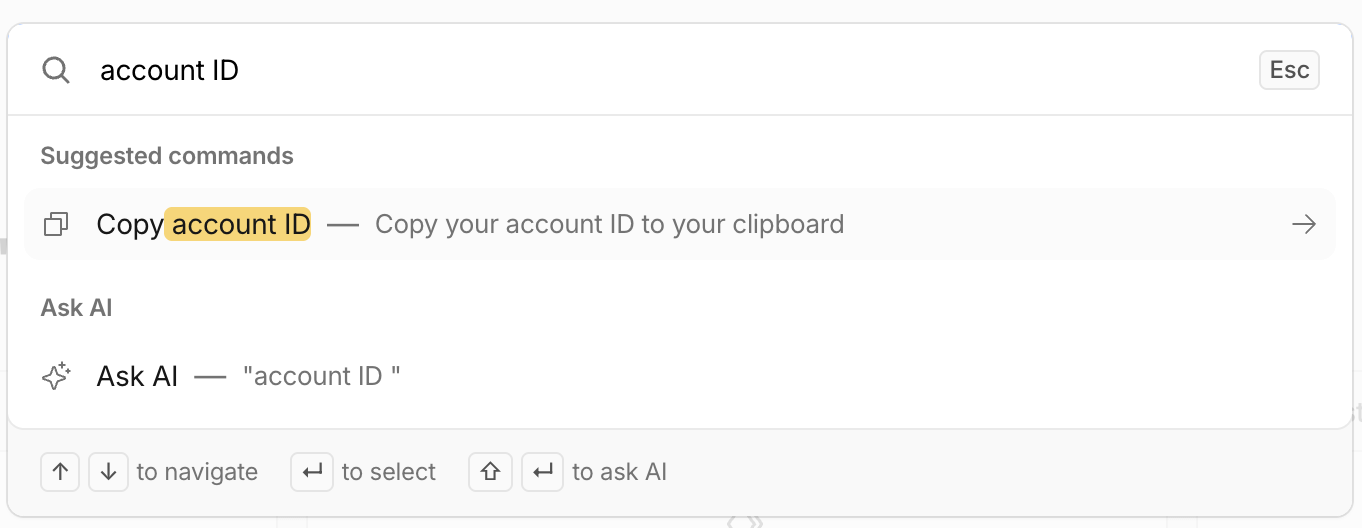
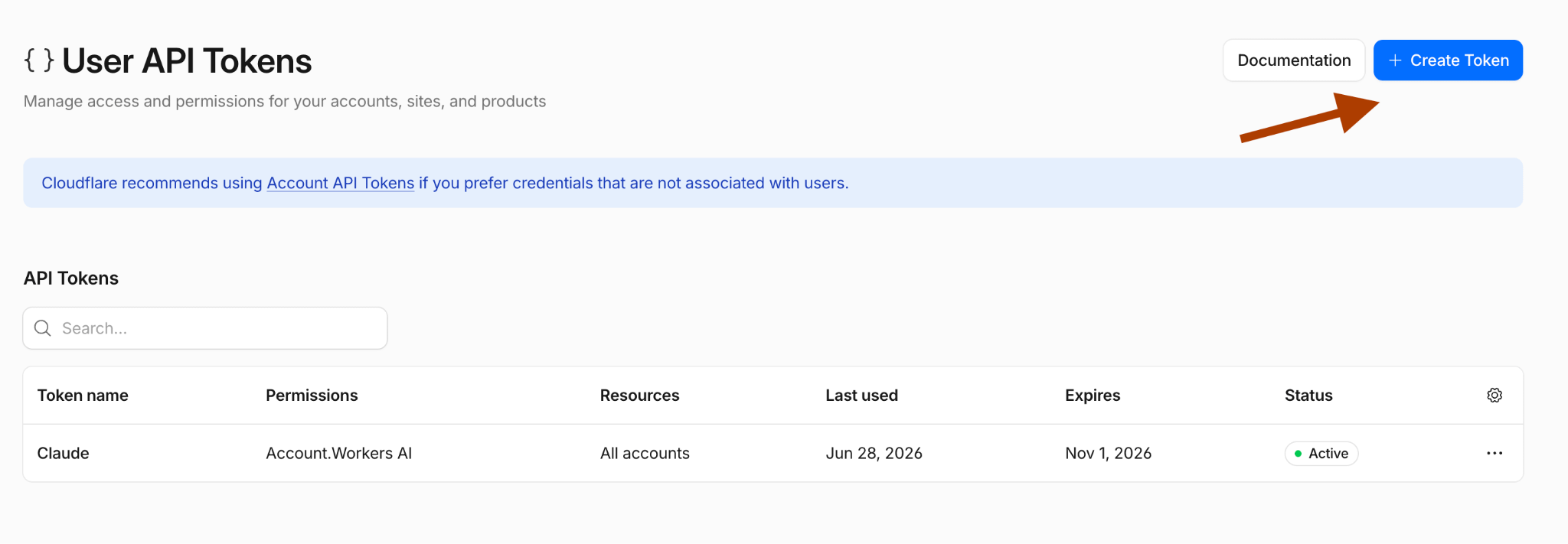
Now get your API key. Open the token page.
Click “Create a token”.
Under permissions, select “Account”, “Workers AI”, and “Edit”. The rest is up to you.
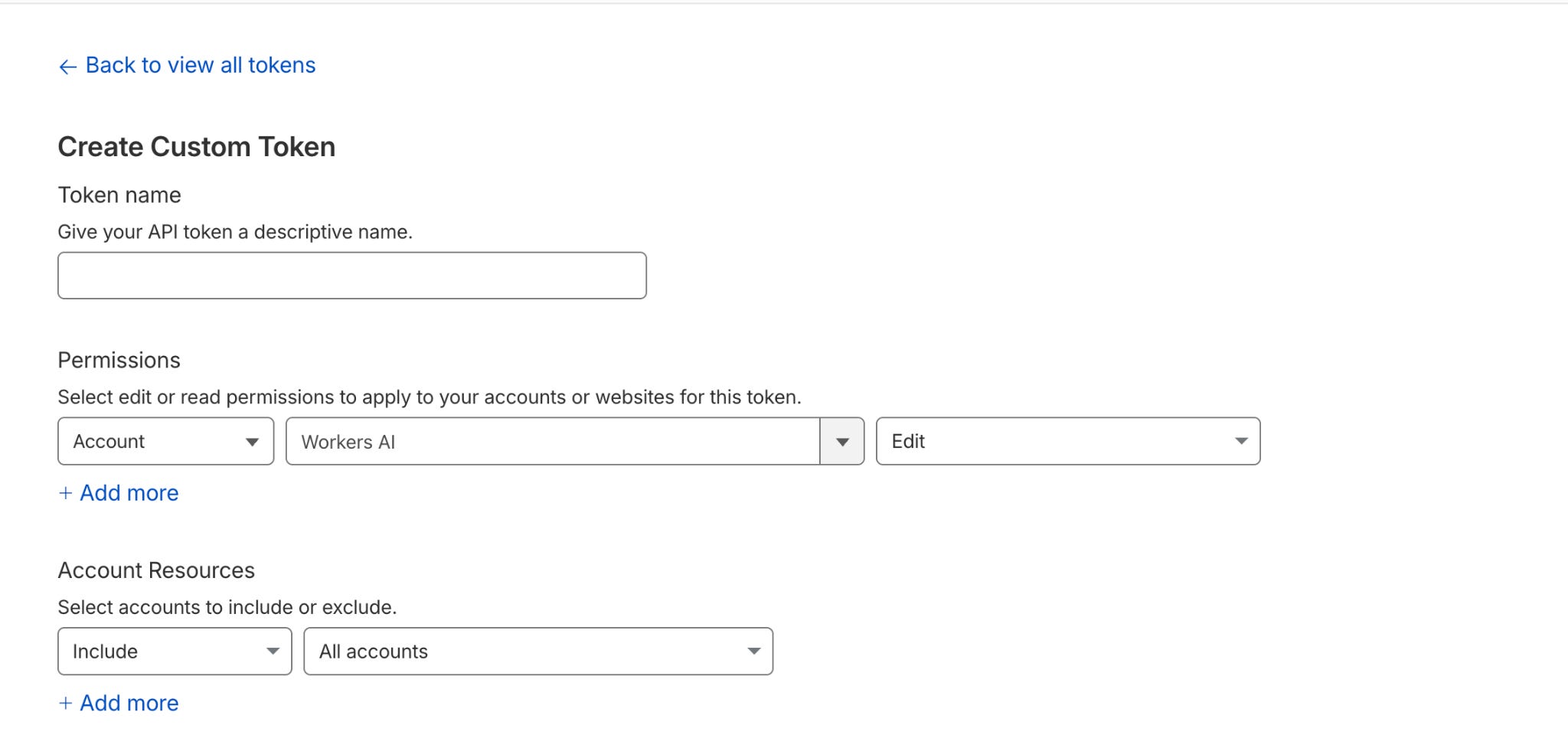
You have the account ID and the key. Install OpenCode next.
I run Claude inside VS Code and its app. Open Extensions, search “Opencode”, and install it.
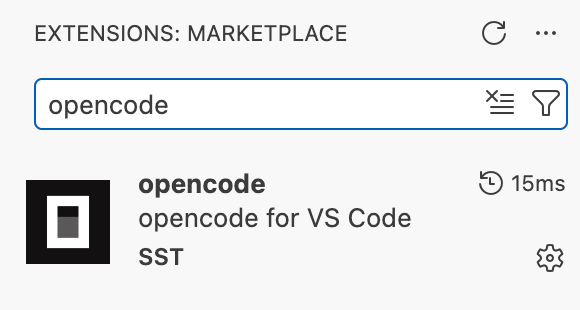
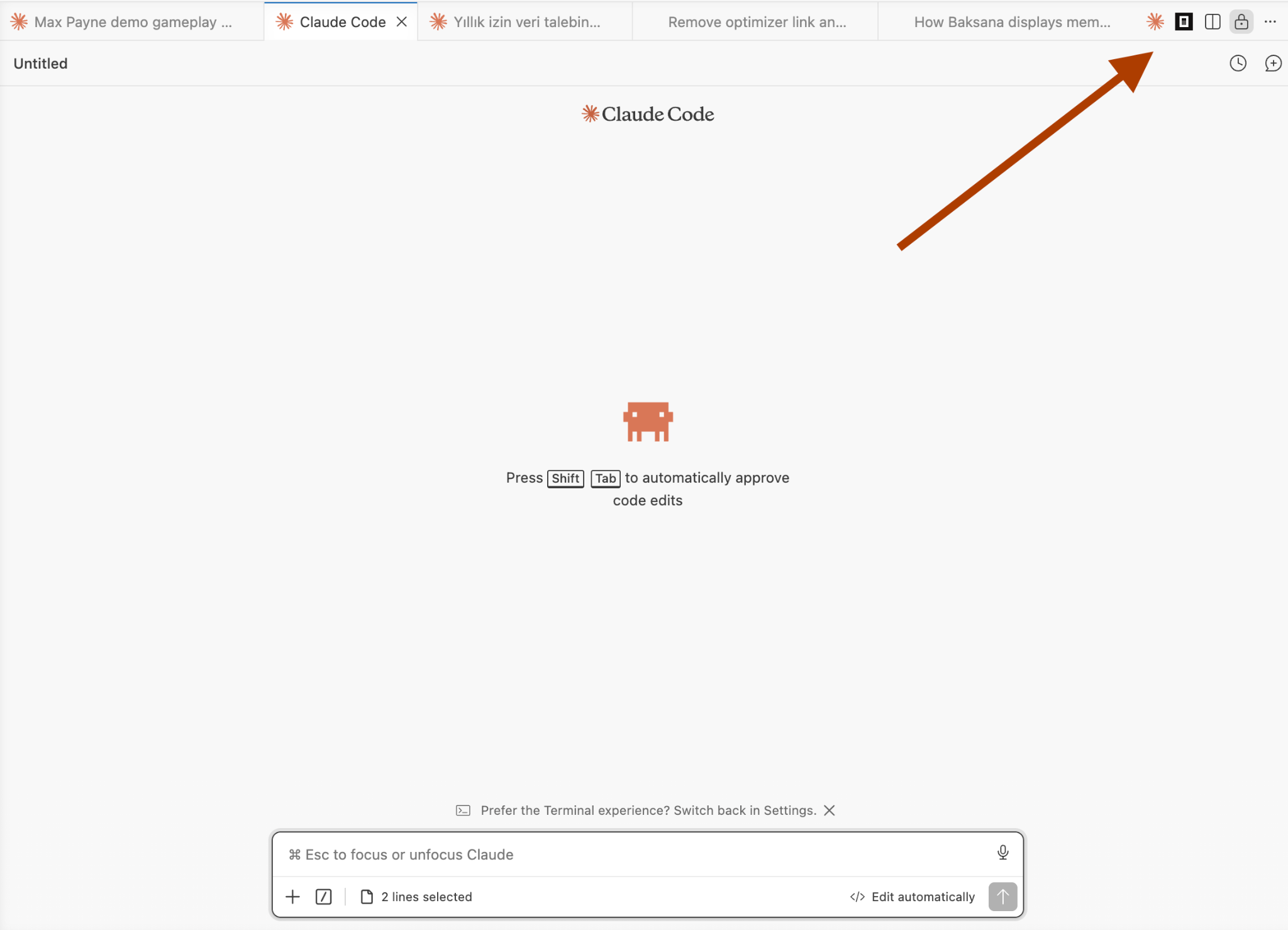
Once it installs, click the OpenCode icon.
Now it is ready.
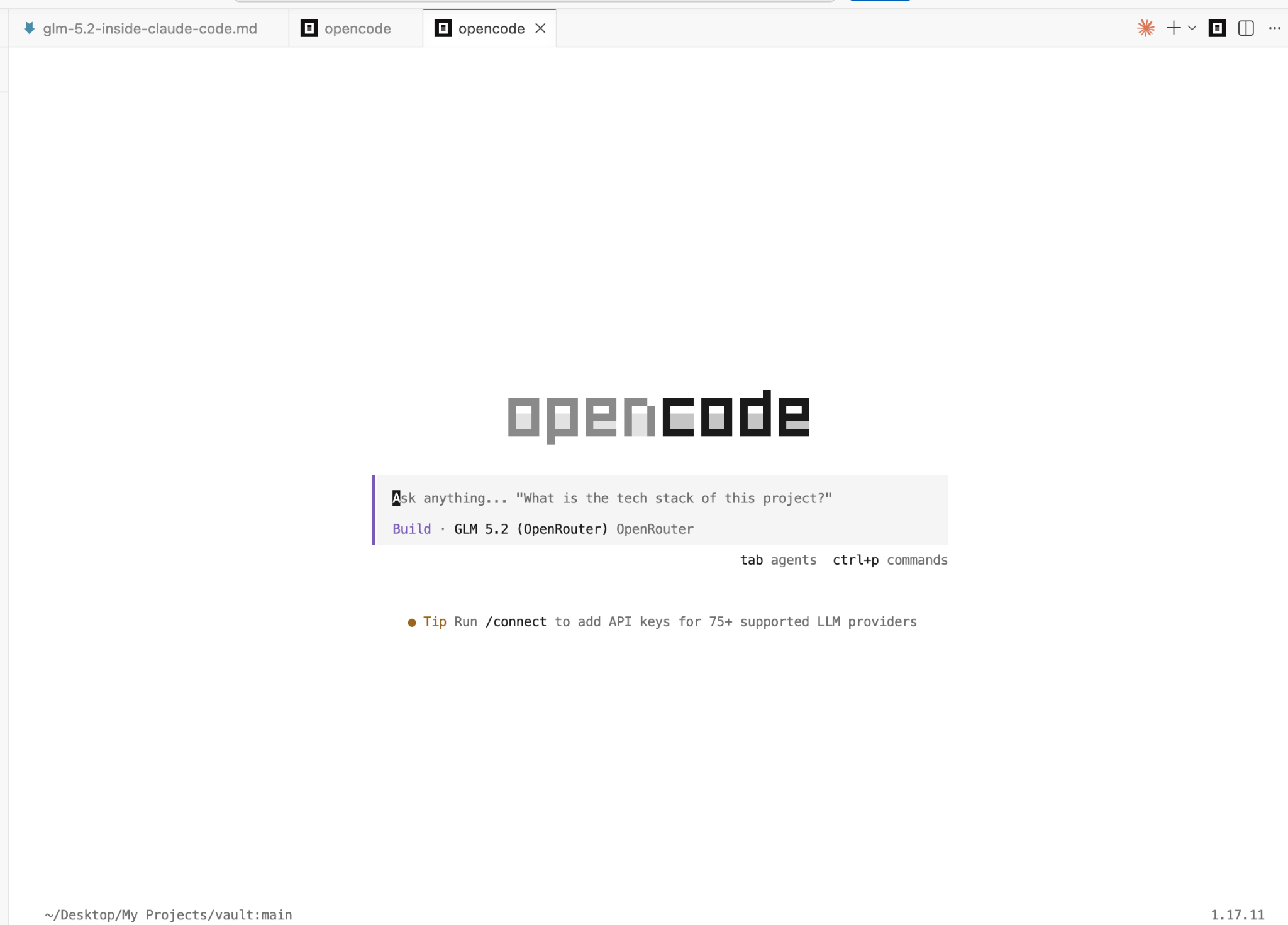
Now we need to connect Cloudflare to OpenCode. OpenCode reads its settings from a single config file.
Open this file on your computer:
~/.config/opencode/opencode.json
(On Mac, in VSCode, you can just hit Cmd + Shift + P, type “Open File”, and paste that path.)
Inside the JSON file, add a provider block for Cloudflare. Paste your Account ID into the URL and your API key below it:
{

  “$schema”: “https://opencode.ai/config.json”,

  “provider”: {

    “cloudflare”: {

      “npm”: “@ai-sdk/openai-compatible”,

      “name”: “Cloudflare Workers AI”,

      “options”: {

        “baseURL”: “https://api.cloudflare.com/client/v4/accounts/YOUR_ACCOUNT_ID/ai/v1”,

        “apiKey”: “YOUR_API_KEY”

      },

      “models”: {

        “@cf/zai-org/glm-5.2”: {

          “name”: “GLM 5.2”

        }

      }

    }

  },

  “model”: “cloudflare/@cf/zai-org/glm-5.2”

}
Or just let Claude Code do it.
If you don’t feel like editing JSON by hand, you don’t have to. Open Claude Code and paste this prompt, fill in your two values:
Hi Claude,

Here is my Cloudflare account ID and API key:

Account ID: <paste your account ID>

API key: <paste your Workers AI key>

Set up my OpenCode config to use Cloudflare Workers AI as a provider.

Open ~/.config/opencode/opencode.json, add a “cloudflare” provider that

uses the @ai-sdk/openai-compatible npm package, point its baseURL at

https://api.cloudflare.com/client/v4/accounts/<my account ID>/ai/v1,

register the model @cf/zai-org/glm-5.2 (call it “GLM 5.2”), and set it

as the default model. Don’t touch any of my other providers.
After that, you are ready.
Building Pomodoro App
I used to pay for a timer app. Not anymore. A Pomodoro timer is small enough to build in one prompt, which makes it a clean test for a coding model.
So I built the same one three times. Claude Code, GLM 5.2 on Cloudflare, and GLM 5.2 on OpenRouter. Same prompt for all three.
Here’s the prompt I used that you can copy:
Build a Pomodoro focus timer as a single-page web app (HTML, CSS, JS in

separate files, no frameworks). Requirements:

- 25-minute work sessions and 5-minute breaks, auto-switching between them

- Start / pause / reset controls

- A settings panel to customize work and break lengths

- A sound when a session ends

- Session count and timer state persist across page refresh (localStorage)

- Clean, modern UI with a circular progress ring

Build the whole thing, then tell me how to run it.
Building with Claude Code
As my first test, I built a Pomodoro app using Claude Code. I started Claude Code from the terminal with the claude command and pasted the prompt that I shared earlier.
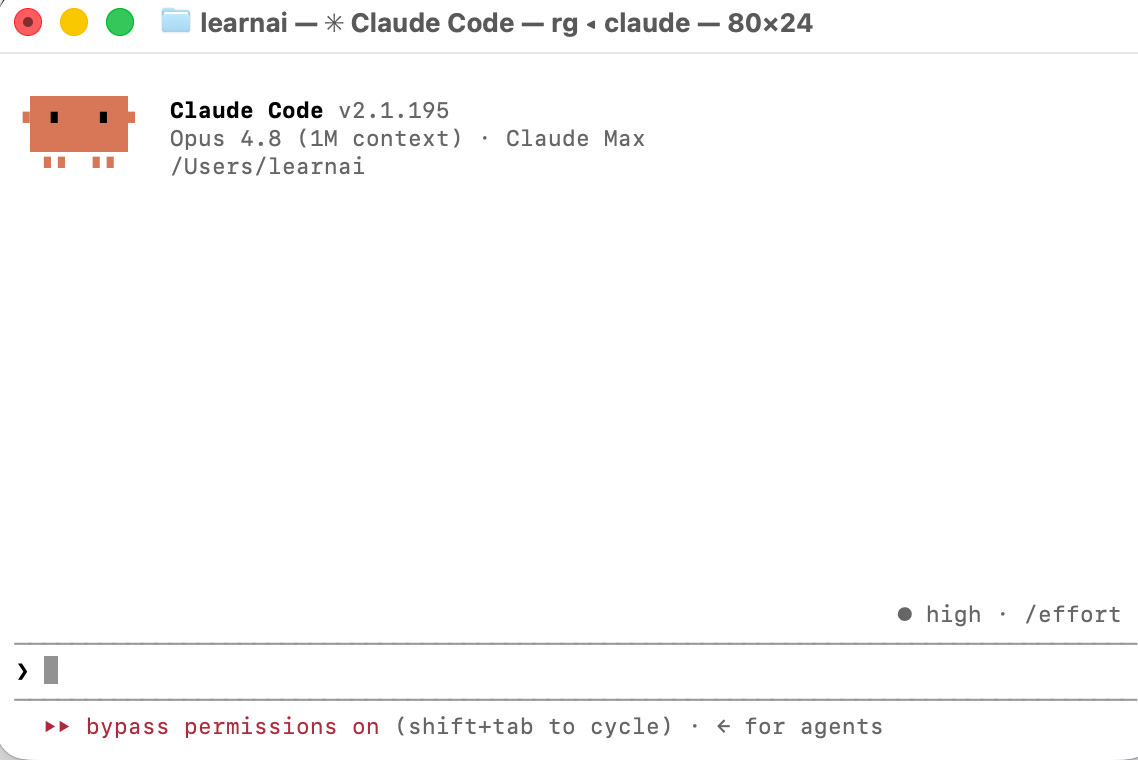
Two minutes later, the app was ready. Here’s the report result built by Claude.
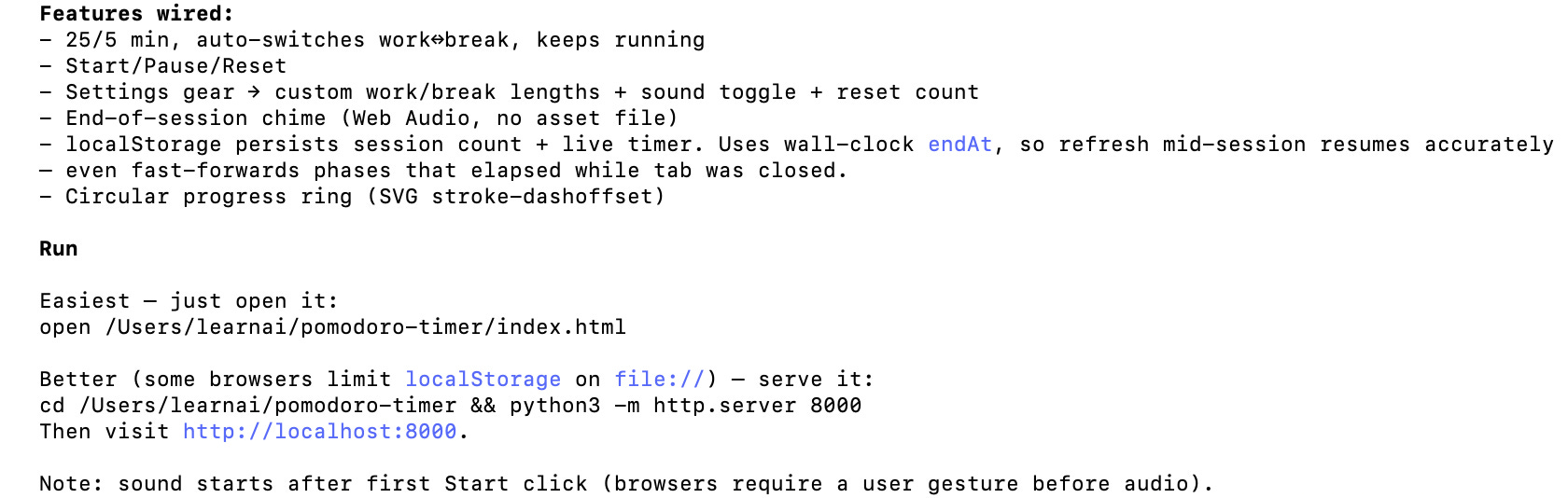
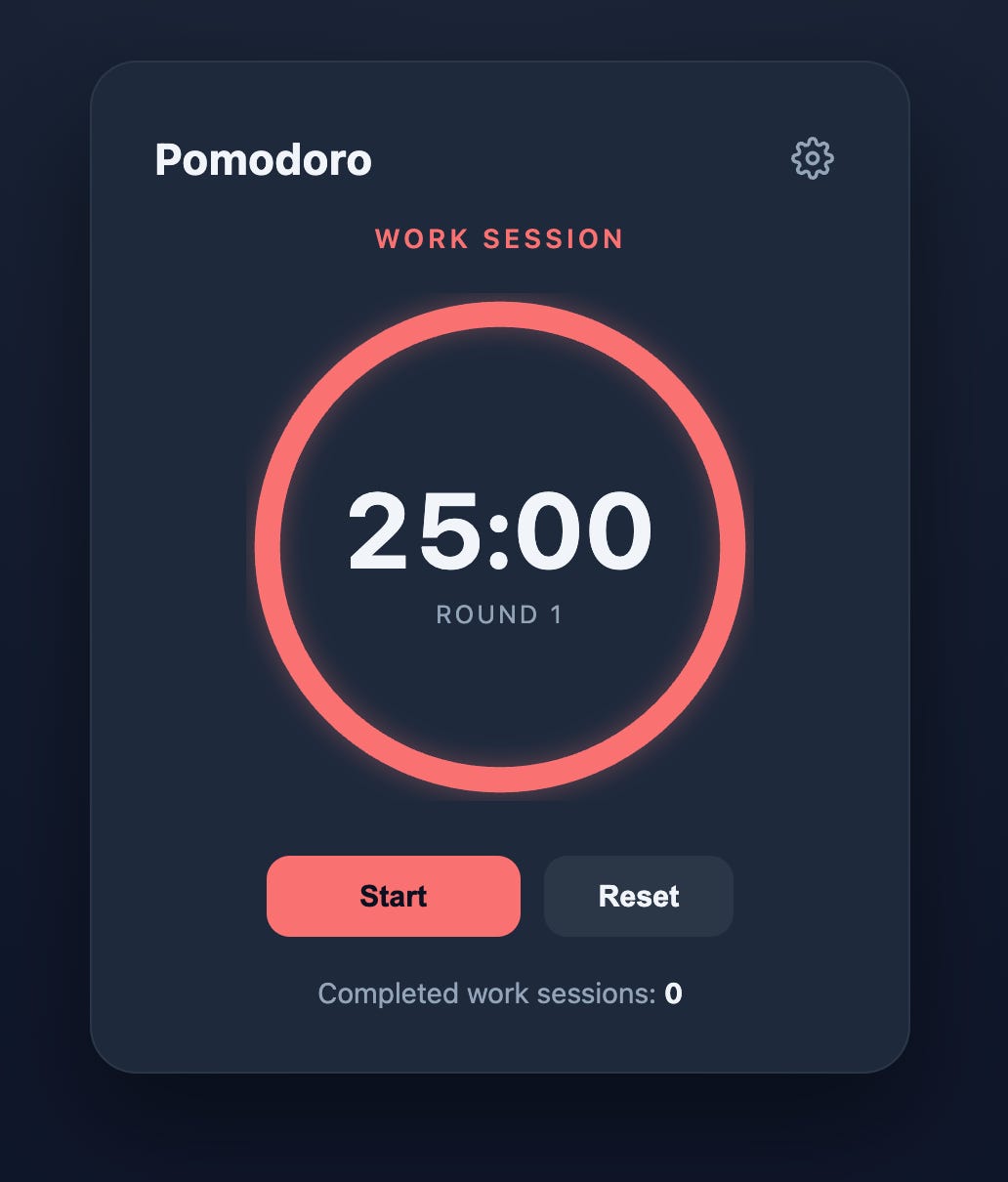
Let me show you how it looks.
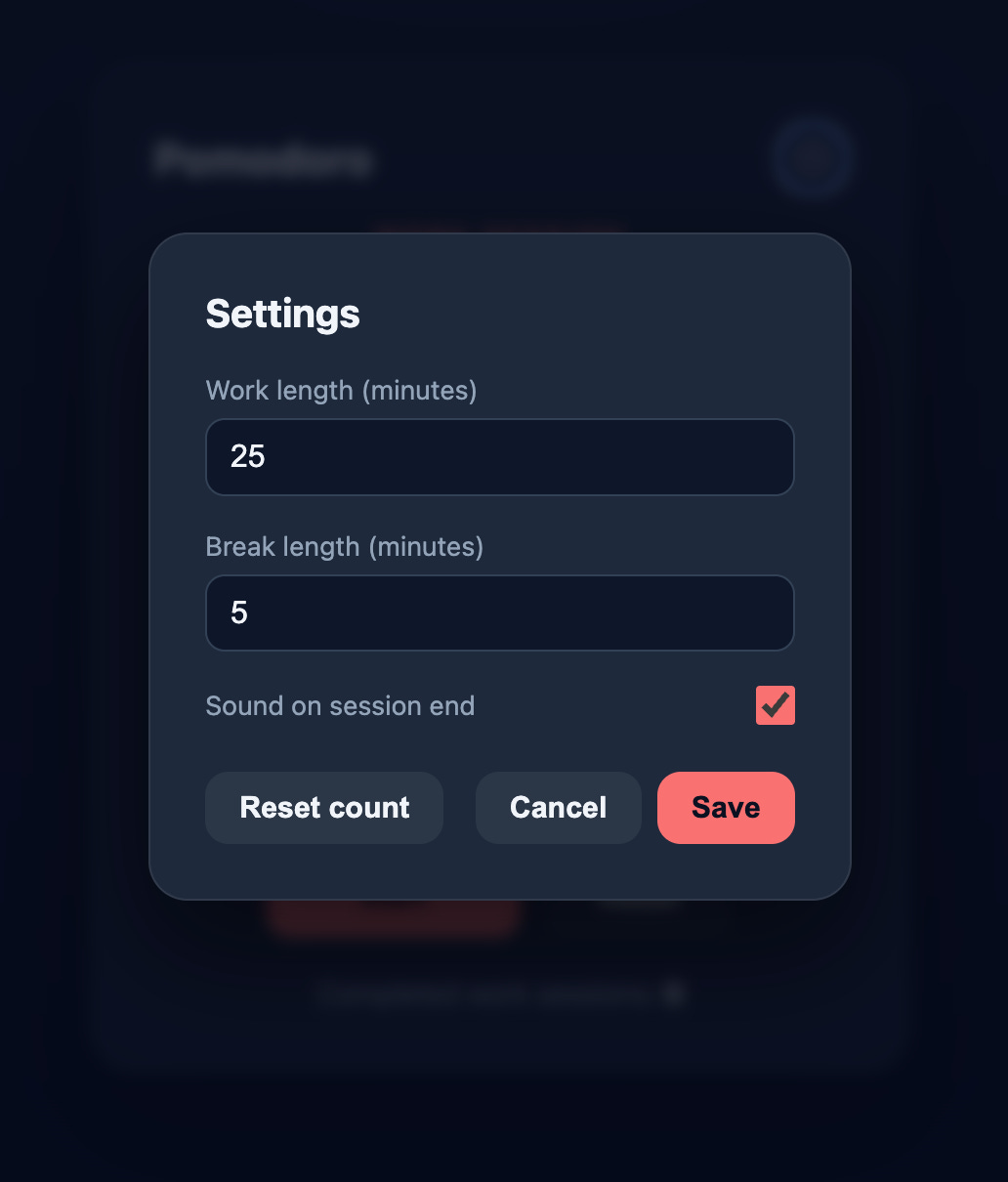
And here are the settings.
Building with GLM 5-2 on Cloudflare
Onto the next test. I pasted the same prompt, and it activates plan mode after thinking about it.
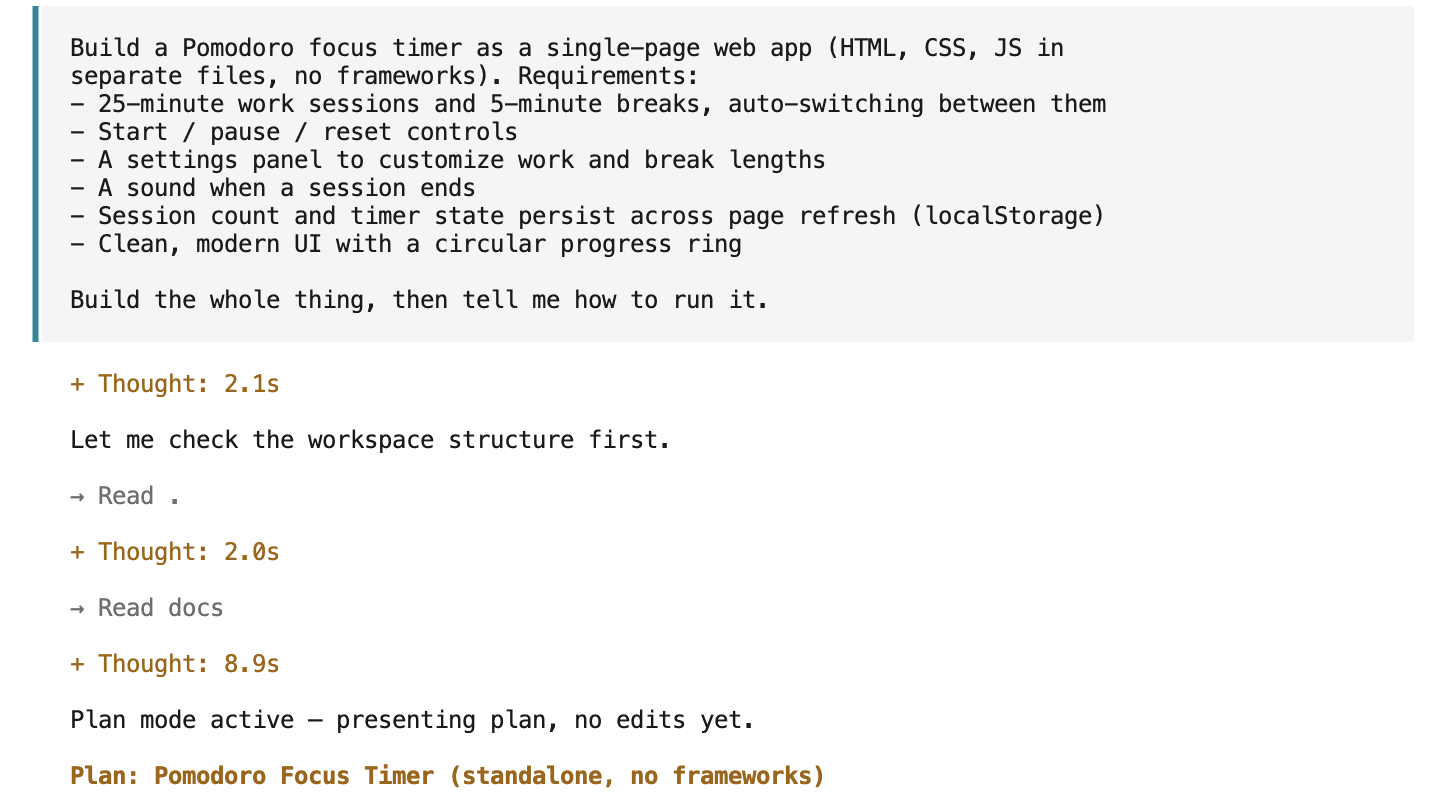
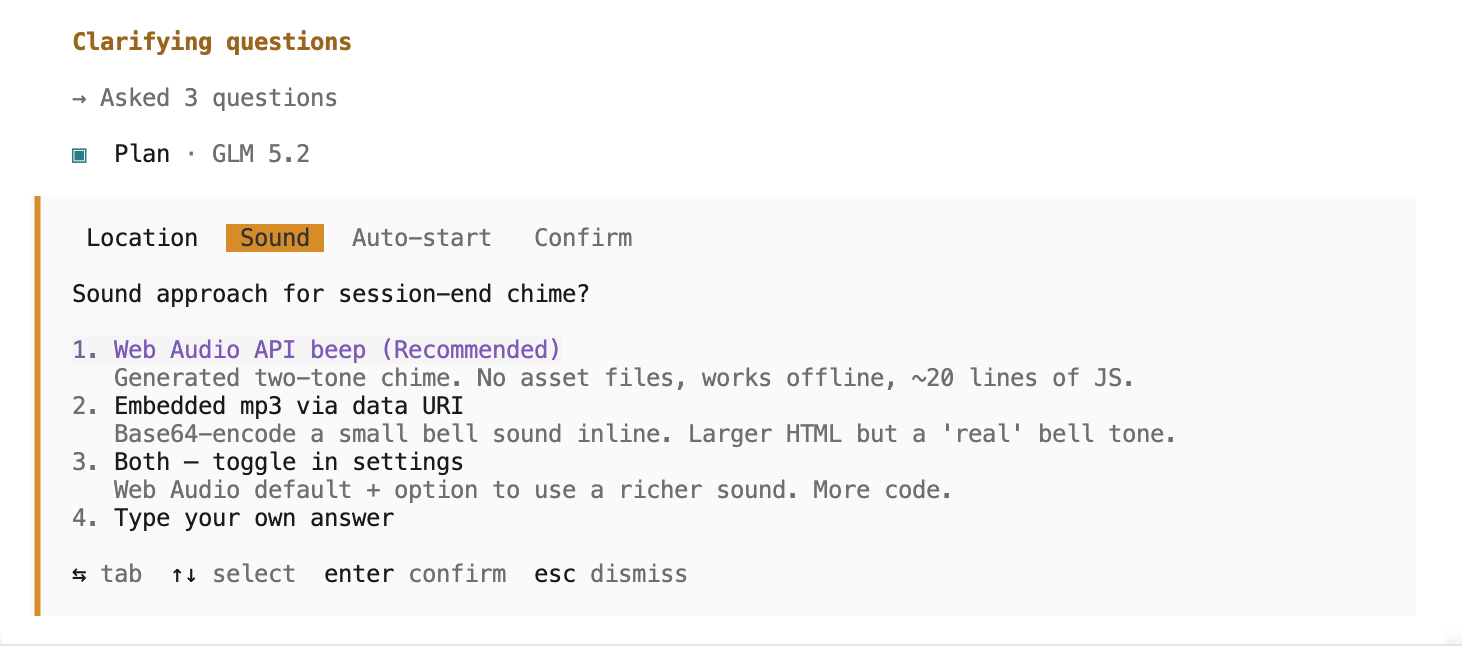
It asked clarifying questions. I picked the recommended answer every time, so the next two builds stay unbiased.
The plan was set. It wanted one more approval before building.
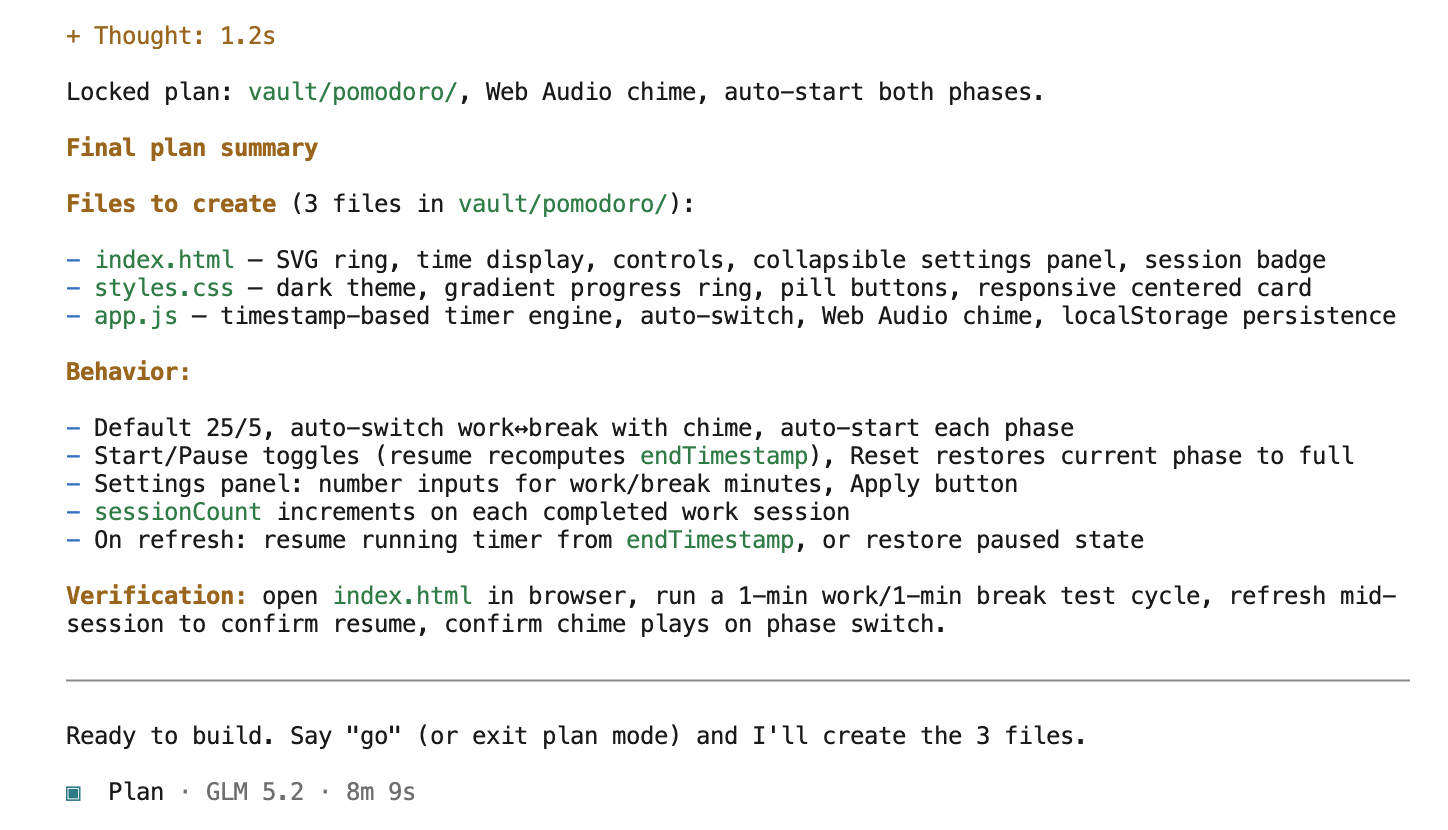
I approved and switched to build mode with by clicking Tab on my keyboard.

Five minutes later, the app is done.
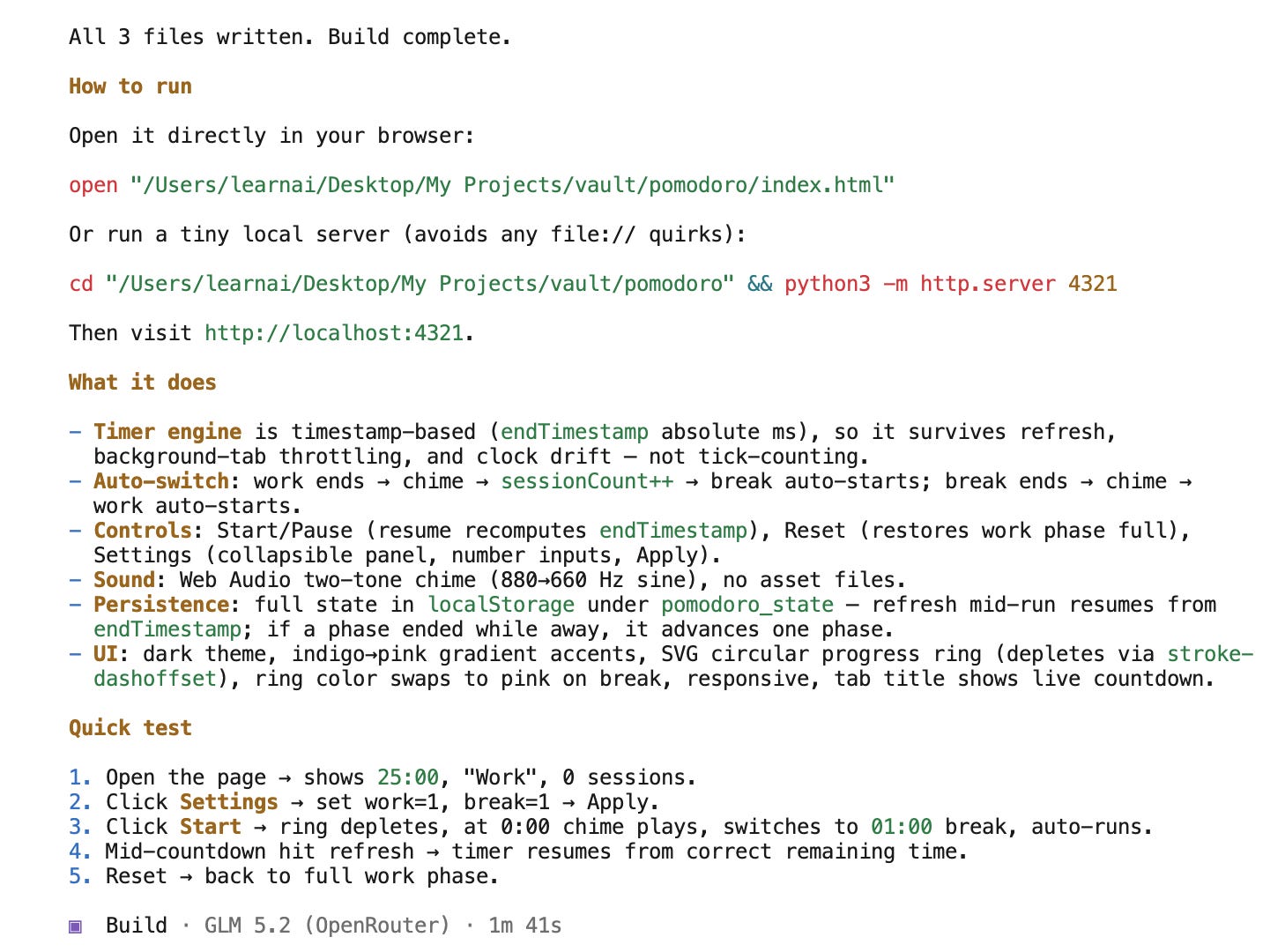
And it works.
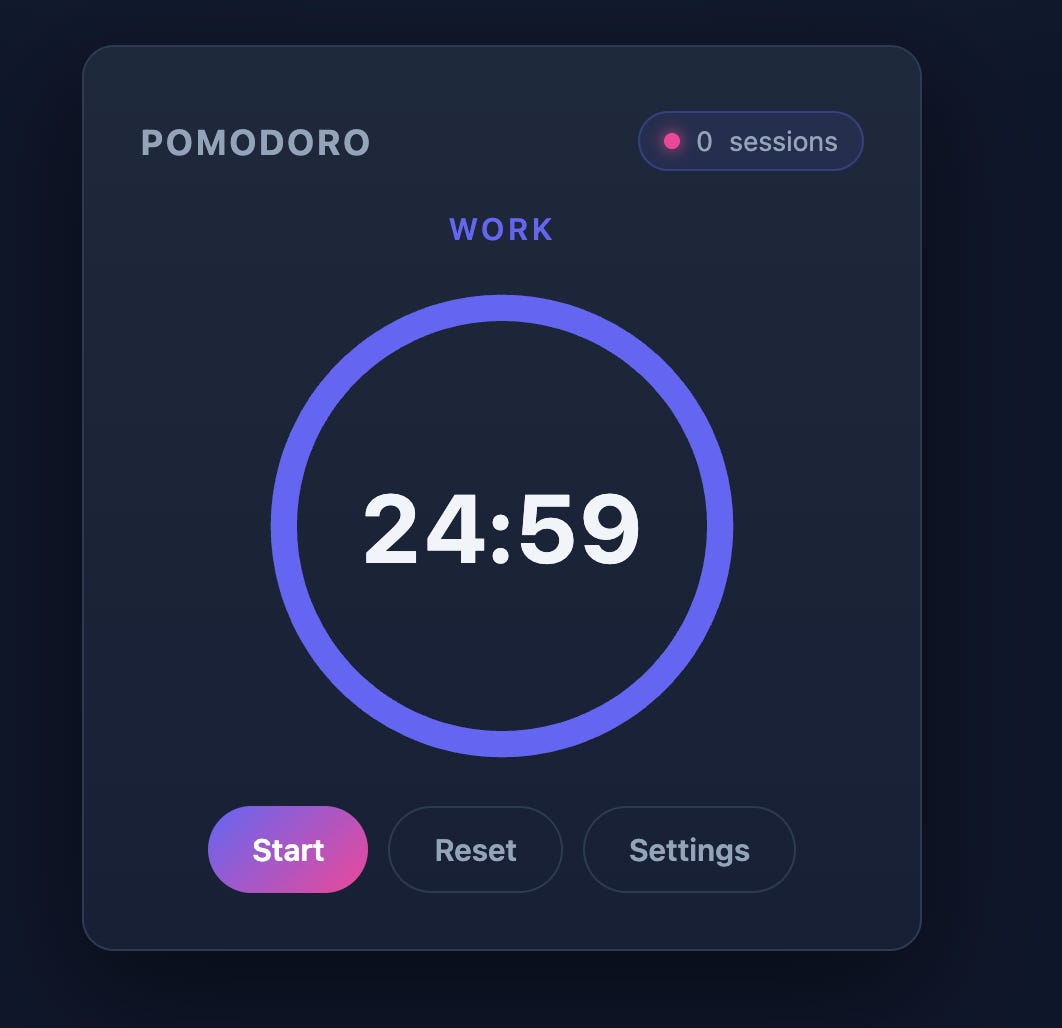
Settings included.
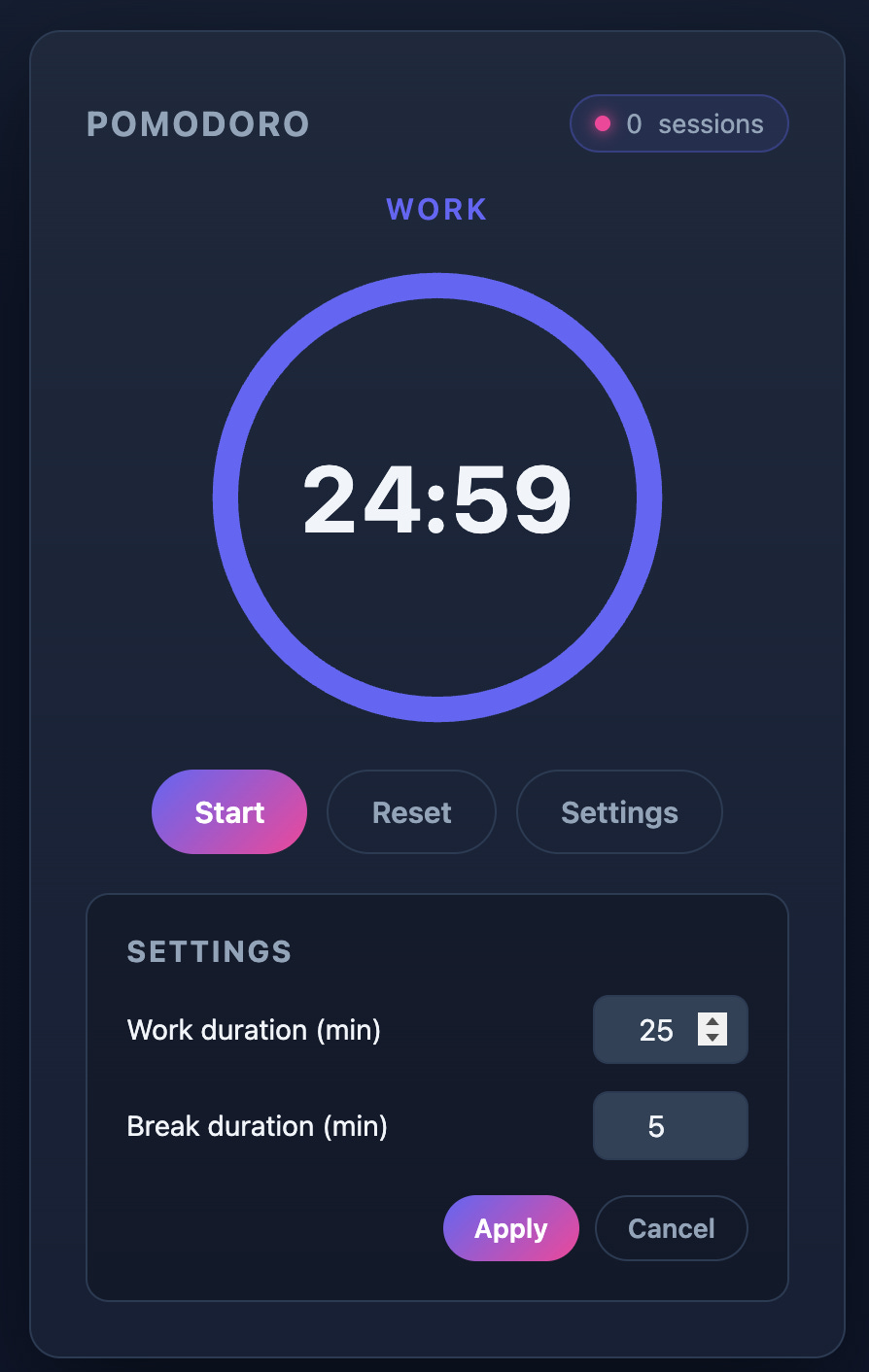
Five minutes, a few clarifying questions, working app. Slower than Claude Code, but it cost nothing.
Building with GLM 5-2 on OpenRouter
Now, let’s rebuild the same app with OpenRouter.
I pasted the exact same prompt.
After 2 minutes, it finished the app.
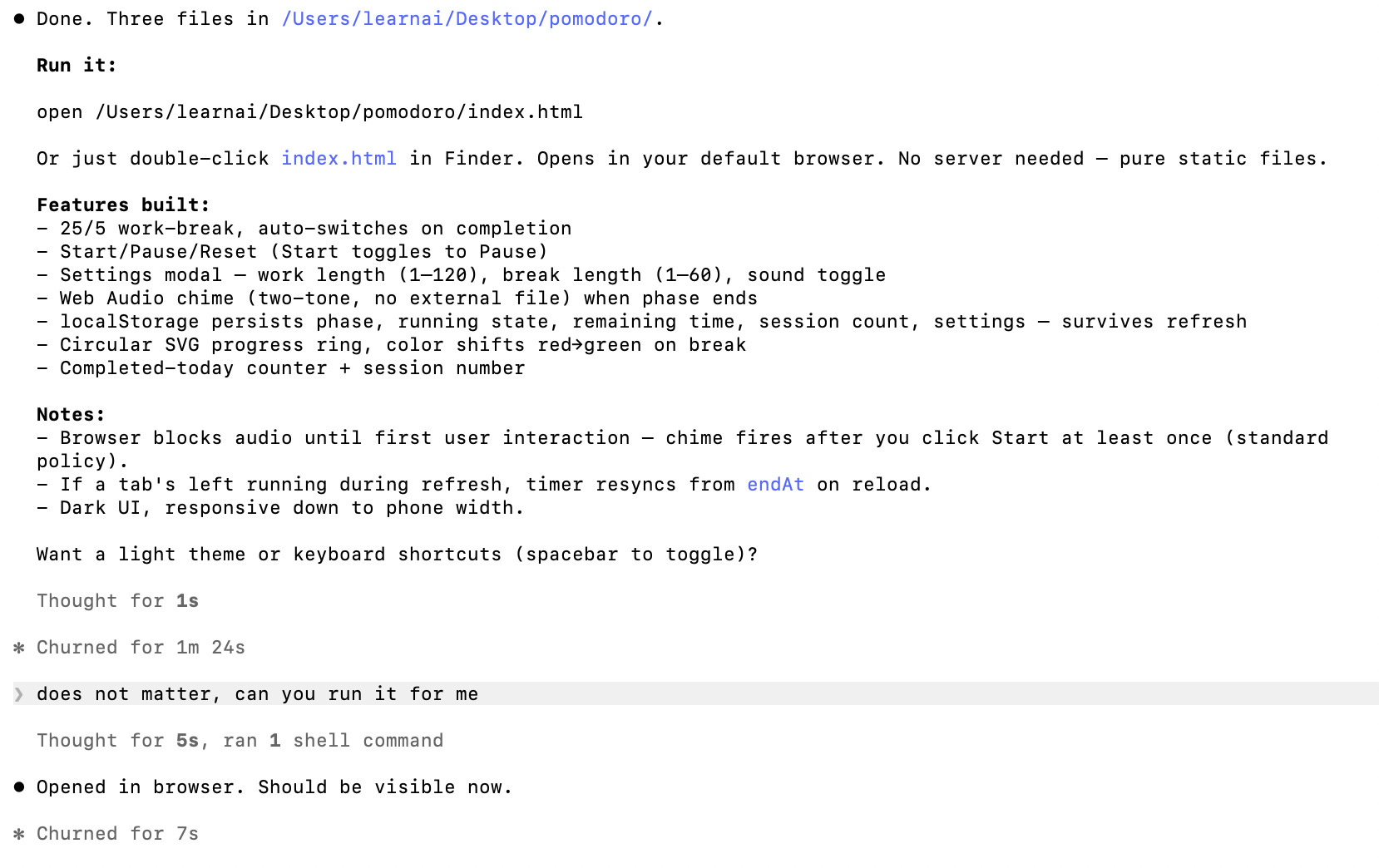
OpenRouter runs on credit, so this one has a price tag.
Open the activity page to see it.
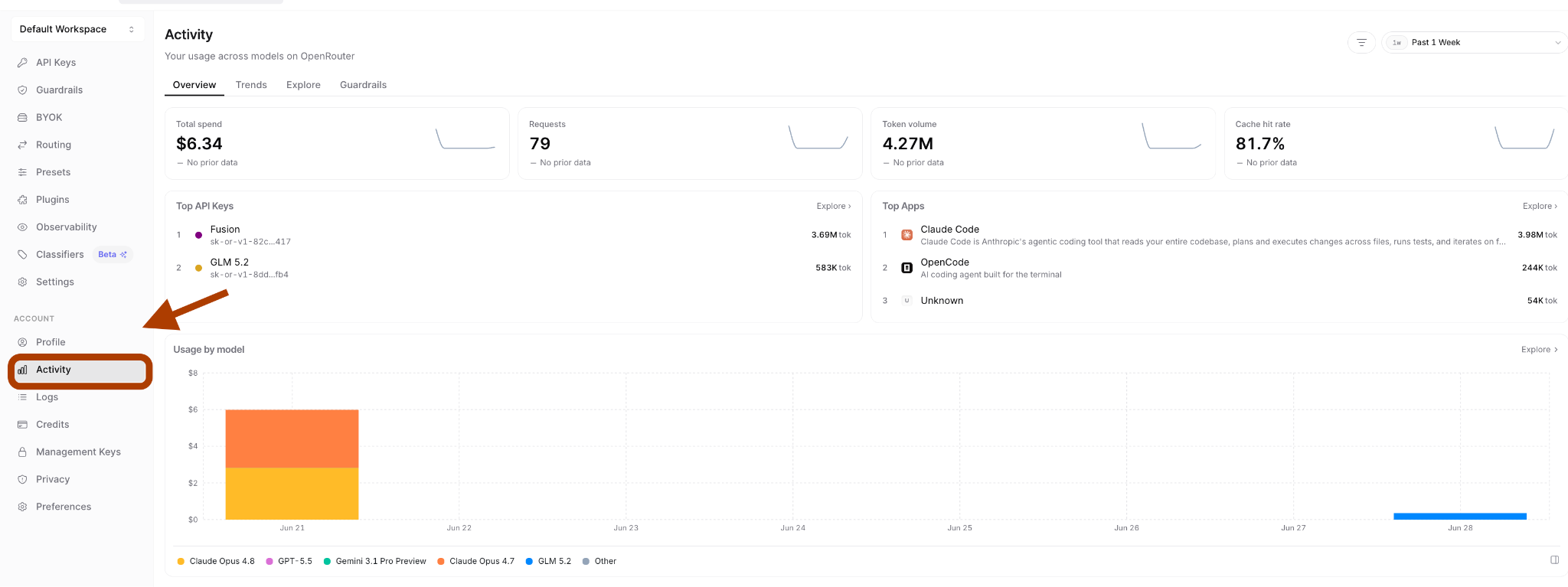
Here is what the whole build cost: $0.354.
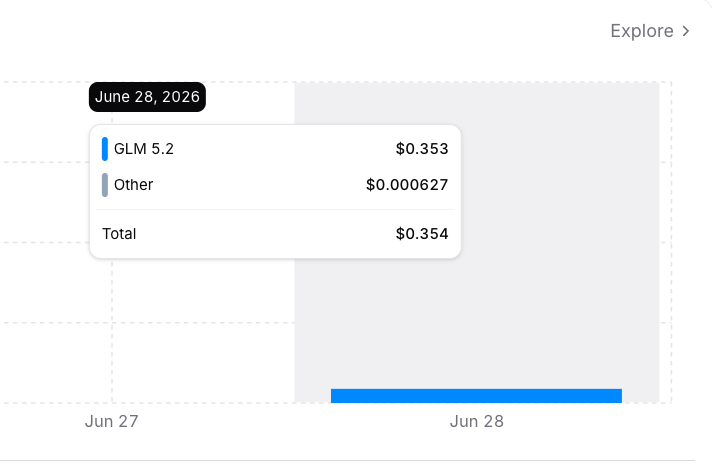
And here is the app.
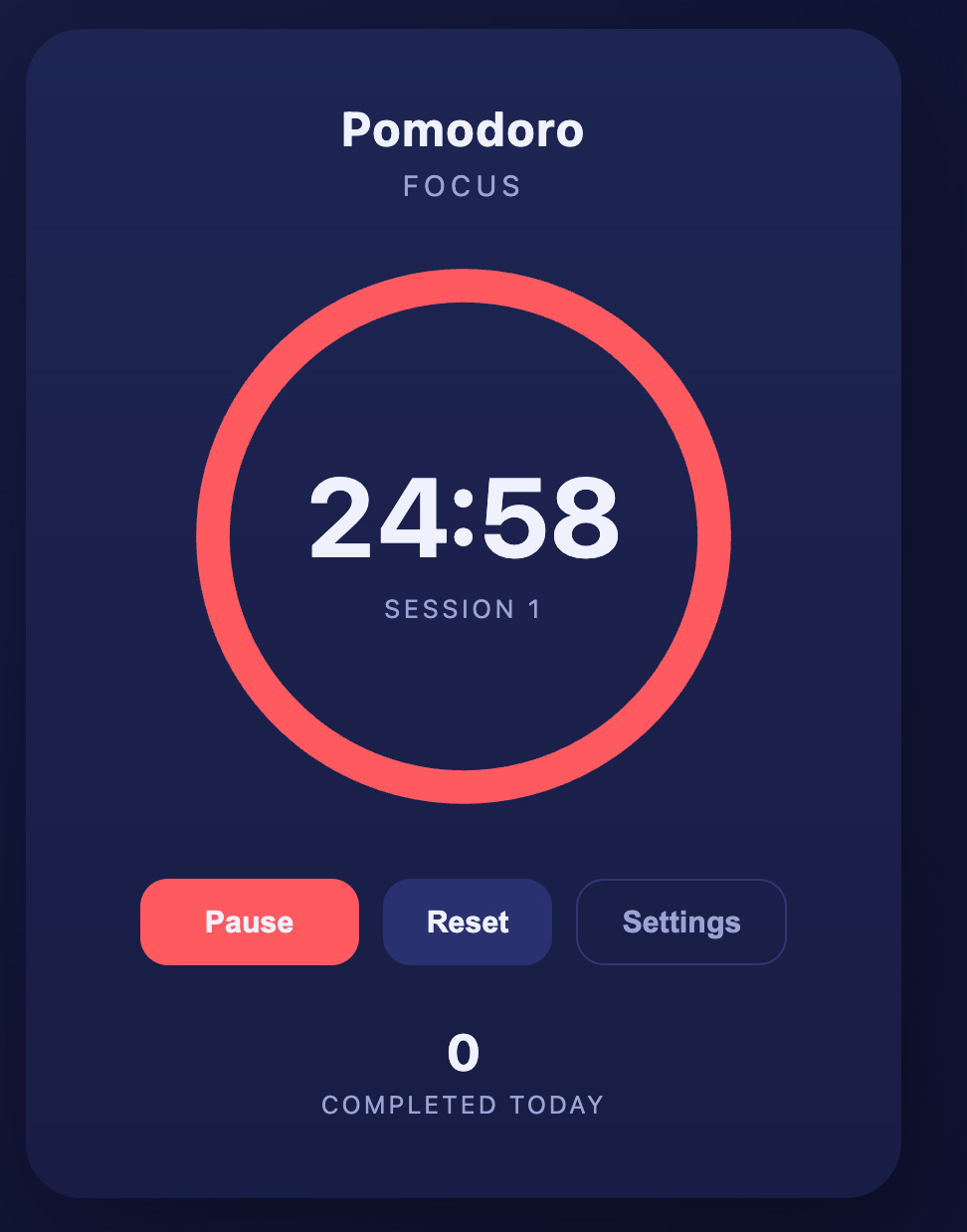
Settings too.
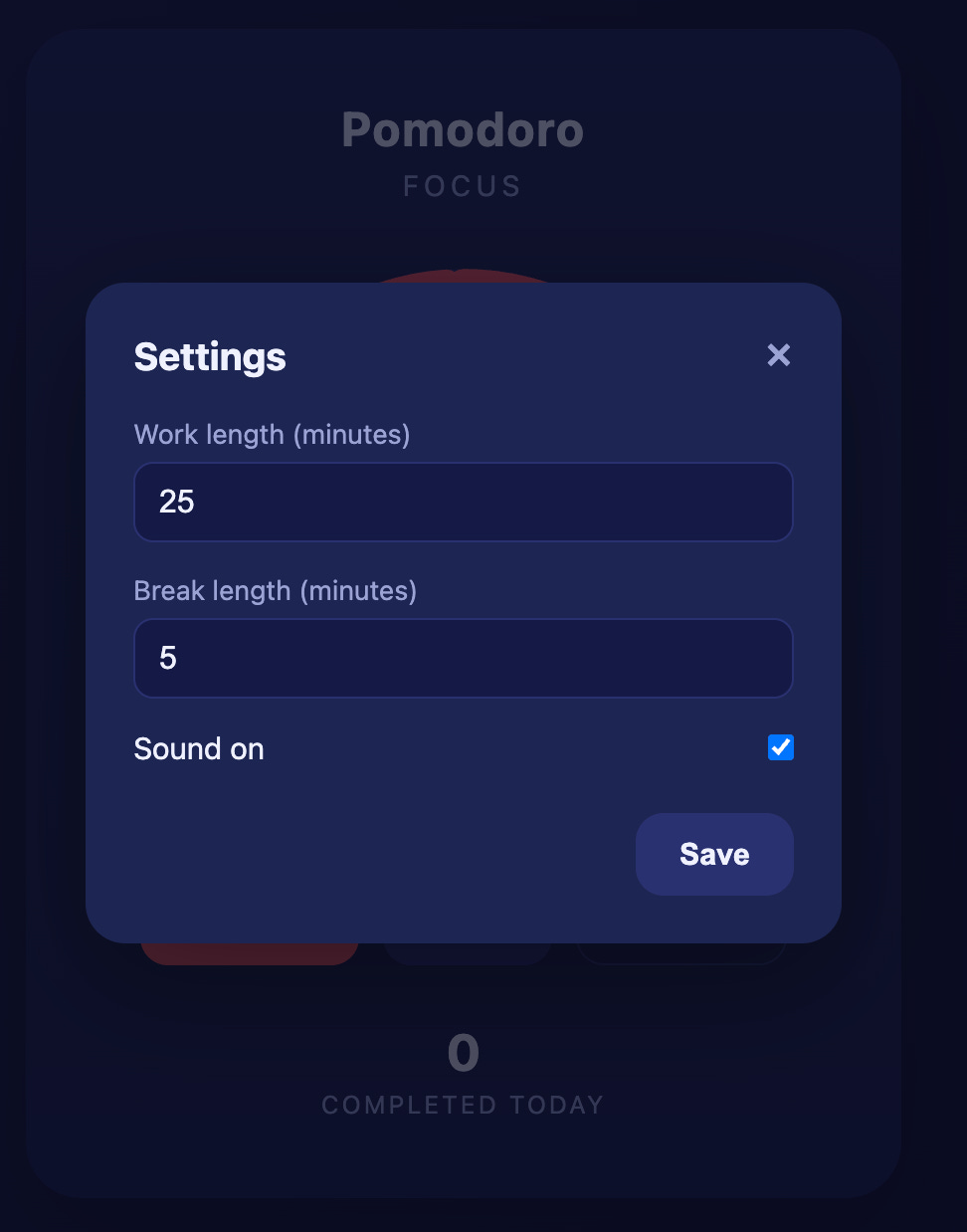
Two minutes, working app, a few cents on the meter. Same speed as Claude Code, a fraction of the price.
Claude Code vs GLM 5.2 Comparison
All three apps work. The frontends are close enough that you would not know which model built which. Claude Code added a small label above the settings link. That is the only visible difference between the three.
So the output quality is a tie. Speed and price are where they split:
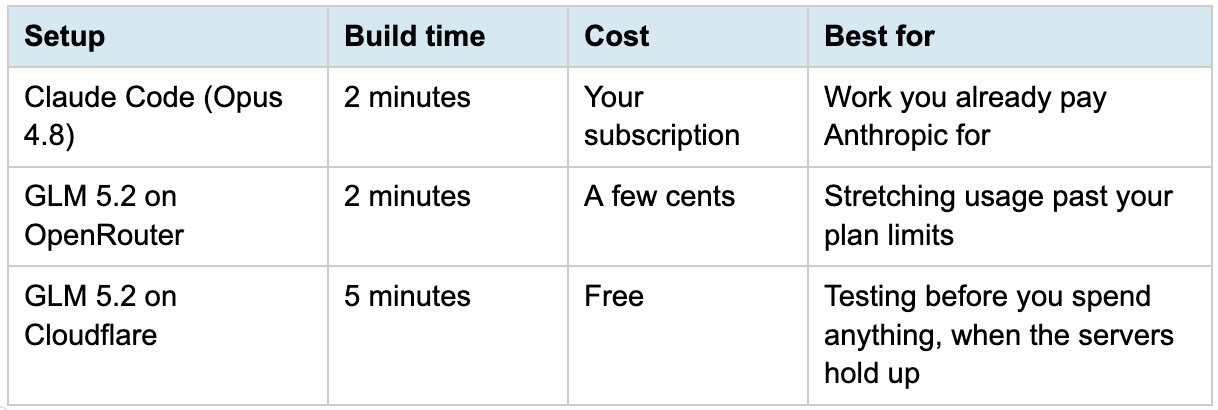
Here’s the conclusion:
For a Pomodoro timer, none of this matters.
For a real project where you burn through tokens all day, it does.
GLM 5.2 gives you Opus-adjacent coding without the Opus bill.
Next Steps
Pick the route that fits your wallet. Cloudflare to test for free, OpenRouter when you want speed for a few cents.
Then point it at something that actually costs you money. A real repo, a real feature, a day of work you would normally run on Opus. That is where the savings show up.
Keep Claude Code on Opus for the hard problems. Switch to GLM 5.2 for the volume. One terminal, two price points, and you decide which one each task deserves.
 | A guest post by
|
this is really awesome. i think some of the larger frontier model companies are starting to treat local models like a real threat now that we're seeing some great product utilization
The OpenRouter integration layer here is the key insight. Plugging a capable open-weight model into the Claude Code interface without rewriting the entire workflow is the kind of practical bridge that makes local AI adoption realistic for developers who already have Claude-based tooling. The cost delta is meaningful, especially for high-volume inference tasks like code review or refactoring loops. Worth watching how GLM continues to close the gap on reasoning benchmarks.