

How I Built an AI Agent That Scours the Internet for News I Actually Care About
And sends perfect summaries to my inbox every week by leveraging Perplexity.


Keeping up with AI news is overwhelming work and so tiring.
You don’t know who’s going to lead this week and no idea what new tools will rise to the surface.
Every AI model tells they are better. Until another AI model takes over. The King throne only lasts for a week or two. That’s how brutal AI news is.
To keep up with AI, I run an RSS reader with AI automation 24/7. It delivers every newsletter and blog post from 30+ sources I curated: the system works exactly as designed.
But it only covers what I already know.
The real gap is the sources I don’t know to follow yet. If I miss a few weeks, that blind spot turns into 3–5 hours of catch‑up just to get back to speed.
RSS only monitors sources I’ve manually added. If a breakthrough gets published on a blog I’ve never heard of, or discussed in a paper from a researcher I don’t follow, or mentioned in a newsletter I’m not subscribed to—I miss it completely.
I started noticing this pattern. I’d see people talking about new AI tools on X, and when I looked them up, the original source wasn’t in any of my RSS feeds. By the time I learned these insights, everyone else was already ahead of me.
That’s when I realized I needed something beyond RSS. Not a replacement for monitoring known sources, but a layer above it that actively searches the entire internet for information I don’t know exists yet.
So I built an AI agent for that. It uses Perplexity to search intelligently across the web, logs findings in Google Sheets, and sends me weekly summaries of discoveries from sources I would have never found manually.
I’ve been running this for 3 months. It’s saved me 3-5 hours every week by eliminating the manual browsing and anxiety about missing something important. And it’s found insights from sources that weren’t anywhere in my RSS feeds.
By the end of this guide, you’ll have your own AI news agent running automatically, searching the entire internet based on your interest, and delivering weekly summaries to your inbox, covering:
Finance: markets, macro updates, earnings, and risk signals
Marketing & growth: campaigns, funnels, benchmarks, and channel changes
Funding & startups: raises, valuations, investor notes, and M&A
Crypto & web3: token movements, on-chain metrics, protocols, and regulation
AI & product: model releases, tooling, roadmaps, and competitor launches
And anything you can think of.
Let’s build it.
What you’ll build in this guide
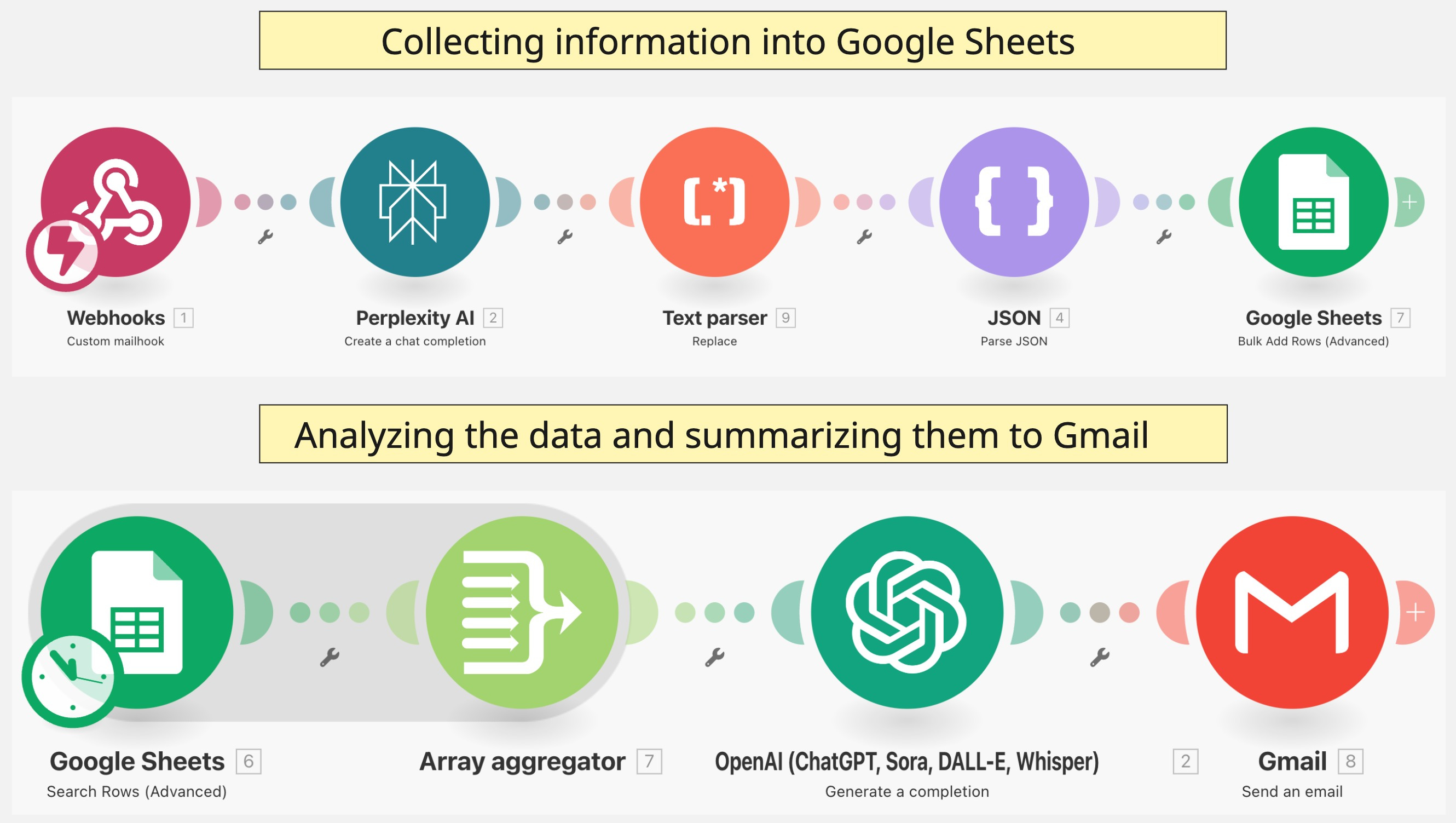
By the time you finish implementing this system, you’ll have a fully automated AI news agent that:
Searches intelligently across the entire internet - Not limited to RSS feeds or pre-selected sources. Perplexity AI actively searches based on your custom topics and queries to find relevant information anywhere it exists online.
Stores everything in organized Google Sheets - Every research finding gets logged with metadata (source, date, topic, relevance score) so you can spot patterns and track trends over time without manual organization.
Sends weekly intelligence summaries to your email - OpenAI analyzes your accumulated findings and generates one clean summary email highlighting only what deserves your attention, with key insights and source links.
Runs completely on autopilot - Webhook trigger in Make.com kicks off the entire workflow. You set your research topics once, then the system runs every week without any manual intervention.
Costs almost nothing to operate - Runs free within Make.com’s limits for most users. Perplexity and OpenAI API costs typically under $3-5 monthly even with aggressive research schedules.
What makes this different from RSS automation
RSS monitors sources you already know about. This system discovers sources you don’t.
RSS requires manual feed curation. This agent searches dynamically based on topics.
RSS gives you everything from selected feeds. This agent filters for what actually matters to YOU.
Think of it this way: RSS is your known network. This AI agent is your discovery engine.
You need both.
Prerequisites you’ll need:
Make.com account (free tier works)
Perplexity API access (minimum $5 in token credits)
OpenAI API key (minimum $5 in token credits)
Google Sheets (free)
Gmail account
Time to implement: 30-45 minutes for initial setup. After that, zero maintenance unless you want to adjust research topics. If you copy my JSON template, you can run this instantly.
Expected results after 1 month:
3-5 hours saved weekly on research and news consumption
Discovery of sources outside your RSS feeds
One clean summary email instead of dozens of browser tabs
No more anxiety about missing important news
Here’s the result of the report:
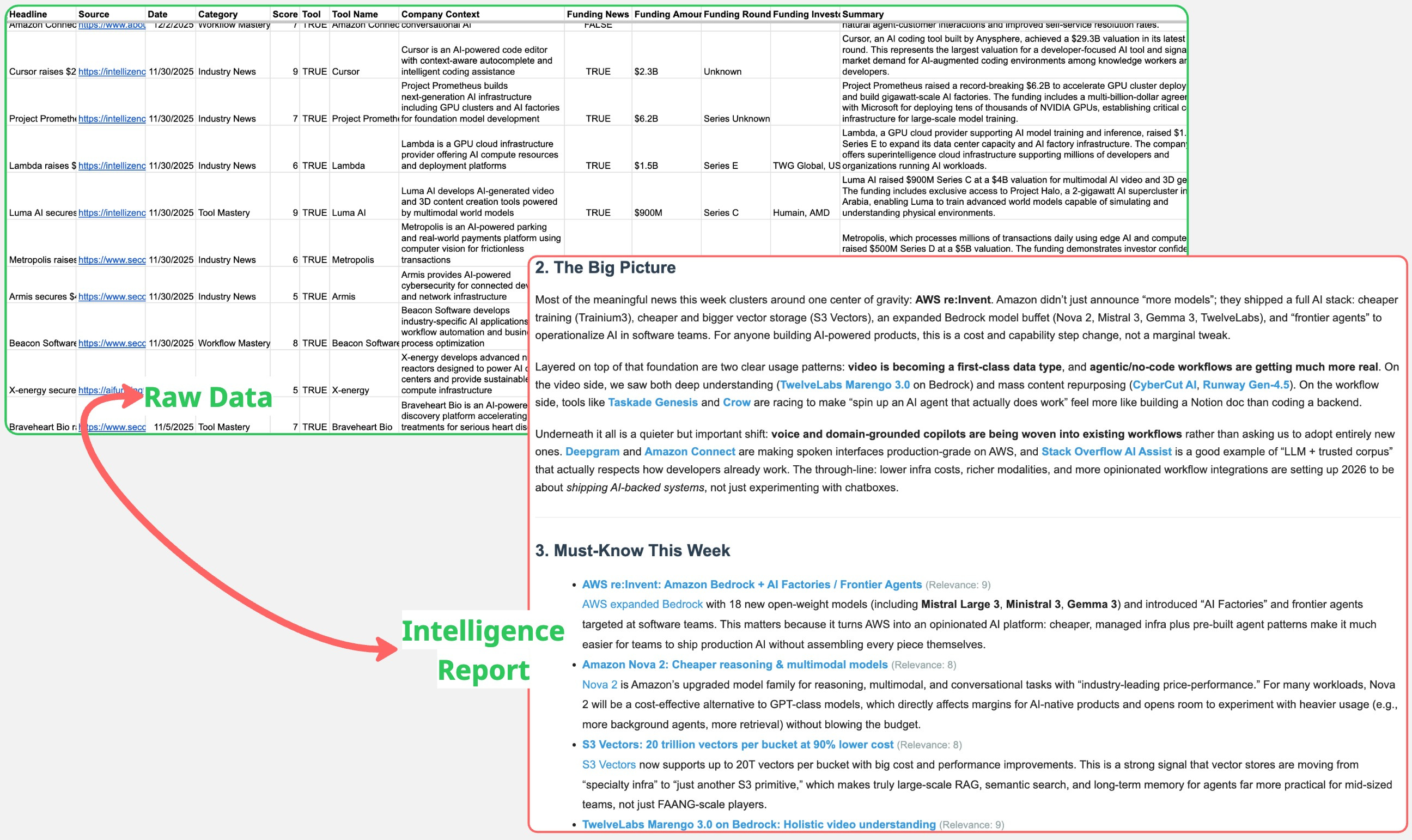
This whole process will be divided into two scenarios: the first is to collect the information, while the second is to summarize it.
Let’s dive in.
🚨 Before we move on, we’ll keep using Make.com to build this AI automation because it’s reliable and cost-effective (FREE or cheaper than alternatives). If this is your first time with Make.com, check my previous posts—linked “here” and “here”—for basic setup and configuration. I won’t repeat the module steps covered there, so we can focus on what matters next.
Scenario 1: Collecting information using Perplexity
The goal of this scenario is to begin requesting information from Perplexity to collect the data. We start this workflow with a Mailhook module.
1. Use Mailhook to start your research
This automation begins by triggering a Mailhook and sending the request to Perplexity as the next module.
Check this post to learn how to set it up.
You need to write your request in the email body. In the example below, I ask it to research “New AI tools this week.”
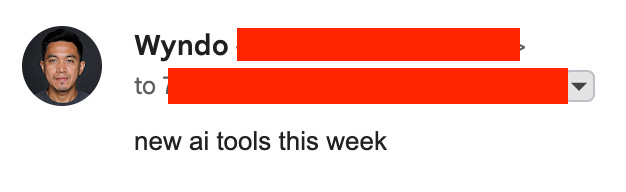
This input is highly customized. You can adjust the timeframe and the specific topic you want to research. For example, recent AI startup funding or new AI model launches.
Once your Mailhook is configured, we send the request to Perplexity.
2. Perplexity to start researching
I chose Perplexity because it’s great at deep research, scouring the internet to find relevant information based on your queries.
As the first step, you need to buy a Perplexity API token with a minimum value of $5 on their API billing page. See the screenshot below.
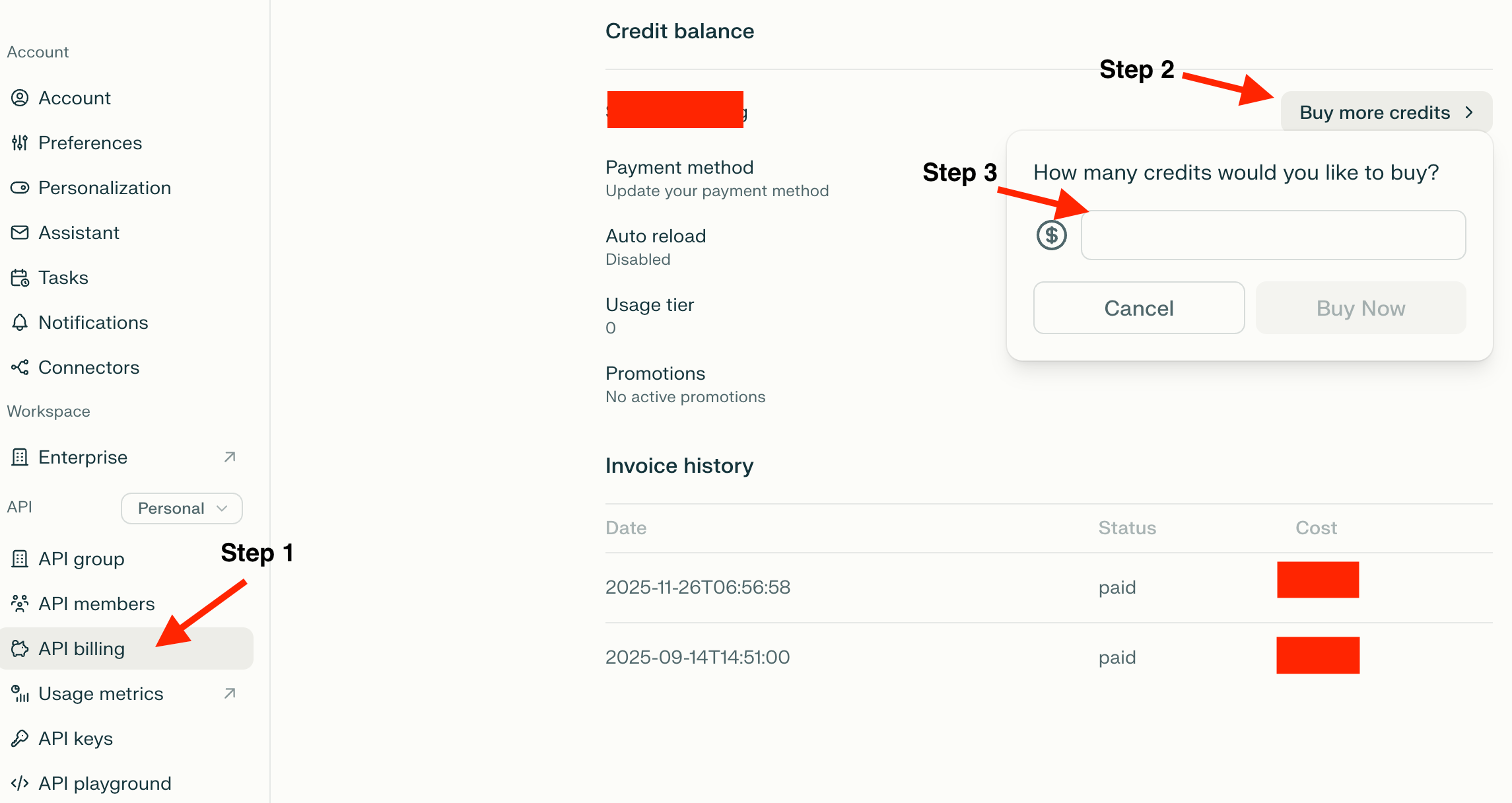
Once done, return to Make.com and set up the module named Perplexity AI: Create a chat completion. Create an API connection and enter your API key inside.
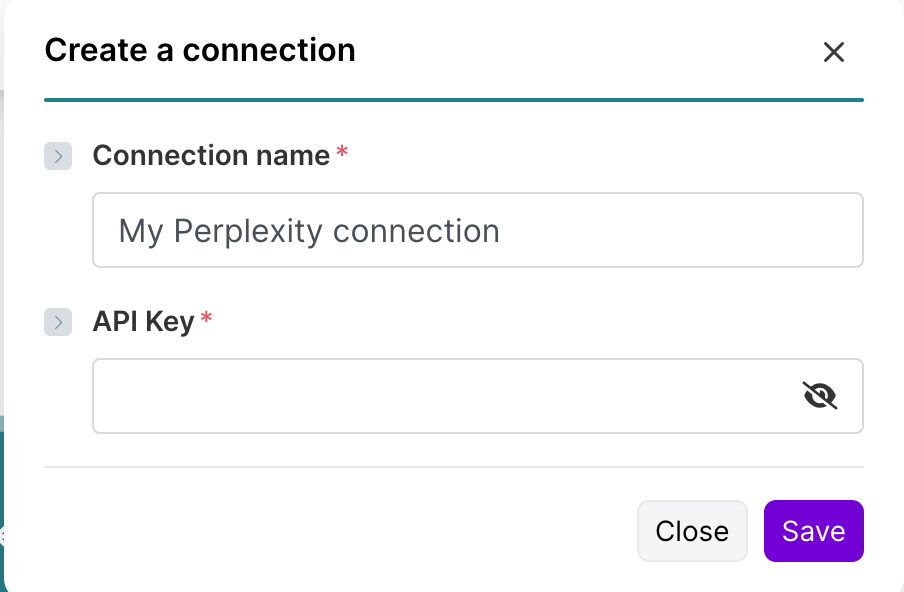
Once connected, update the following key fields in the Perplexity AI module:
Model: Choose “Sonar Pro” first. If you need more complex research, go one level up to Sonar Reasoning, Sonar Reasoning Pro, or Sonar Deep Research.
System and user prompt.
Max tokens: Set to 10,000.
Web Search Options: Depending on how much you want to rely on web search, tweak between Medium and High.
Here’s the system prompt you can copy and paste: