

How I Turned X Into a Research Engine Inside Claude Code
I no longer need to open X on my phone anymore; I just ask Claude instead.


I have spent a ridiculous amount of time on X.
Part of it is probably just being chronically online, but the more honest reason is that X has become one of my main research sources for AI.
A lot of the ideas I write about here started there. The AI second brain post came from Andrej Karpathy’s LLM wiki method. The Loop post came from seeing people experiment with small agent workflows. My Codex deep dive also started from things I kept seeing on X before I tested them myself.
Honestly, maybe 80% of my post ideas begin with something I saw there.
That is the good part.
The bad part is that keeping up with X manually is mentally exhausting.
If you work anywhere near AI, there’s this constant feeling that you’re already behind. Someone is always testing a new tool, finding a new workflow, or sharing a weird trick that might be useless—or it might become the thing everyone is using next week.
So I kept opening X “just to check.”
Then thirty minutes disappeared.
Sometimes I found something useful. Sometimes I saved five posts and never came back to them. Sometimes I left with more tabs, more anxiety, and no clearer idea of what I should actually write or test next.
That was the part I wanted to fix.
I didn’t want to stop using X for research, because I learned so much about diverse topics by stumbling on random tweets from other people and experts in their fields. But at least for specific topics I wanted to learn about, I wanted to stop doing all the reading by hand inside the feed, while the feed decided what deserved my attention.
For a while, I kept looking for ways to connect an AI agent to X. There were GitHub workarounds and unofficial setups, but they required saving your browser cookies to access it. You couldn’t just open your computer and ask your agent to do it.

That changed when X added an official MCP route through its API tooling.
Now I can connect X to Claude Code and Codex, ask my agent to pull from accounts I care about, search around a topic, or collect my own bookmarks, then turn that into a research brief I can actually use—all with the new X research skill I recently built.
This post is the working version of that setup.
I am going to show you how I wired X into Claude Code, how the research skill works, and the three reading systems I am using so far: running research on topics, pulling posts from multiple accounts, and exploring ideas from my bookmarks.
X MCP or CLI? Pick Your Path First
To get there, there are two ways to connect X to Claude Code.
One path is the MCP.
The other path is the CLI, using a tool called `xurl`.
They can both reach the X API, so the difference is not really about whether one can do research and the other cannot.
The difference is how the agent gets there.
🚨 In case you still don’t know the difference between MCP and CLI, you might want to check out my post here:

With the MCP, X becomes a set of tools Claude Code can call directly. That makes the experience feel more natural. You can ask in normal language, and Claude Code can decide which X tool to use.
That is why I like it.
But there is a tradeoff.
In my experience, MCP tools can use more context because there is a real tool layer involved. Claude Code needs to understand the available tools, choose between them, call them, and handle the returned data inside the session.
The CLI is more manual.
With `xurl`, you are basically accessing the X API directly from the terminal. You call the endpoint, get the response, and let the agent parse the result.
The annoying part is that the CLI does not feel as natural by default. You need to know which API endpoint to call, what parameters to use, and how to avoid pulling too much.
That is where the skill comes in.
If you wrap the CLI path in a skill, the agent can learn which API call to use when you ask for something in normal language. You can say “pull recent posts from these accounts” or “search X for this topic,” and the skill tells the agent which `xurl` call to run.
So I do not see MCP and CLI as completely different research systems. They are two ways to reach the same source.
Here is my rule:
Use MCP if you want the smoother Claude Code experience.
Use CLI plus a skill if you care more about direct API access and tighter control.
Start with MCP if you are unsure, then keep the CLI path available for cases where you want more control.
For this post, I am going to use MCP as the main path because I think that is where most of you should start.
But I am also going to give you the skill structure that makes the CLI path usable, because that is the part that turns API access into a repeatable research process.
If you want a more nuanced take on the differences between CLI and MCP, you might want to check out my latest monthly Q&A to learn more about them.
What The X API Costs
Before we install anything, I want to talk about cost, because unfortunately, accessing the X API isn’t free.
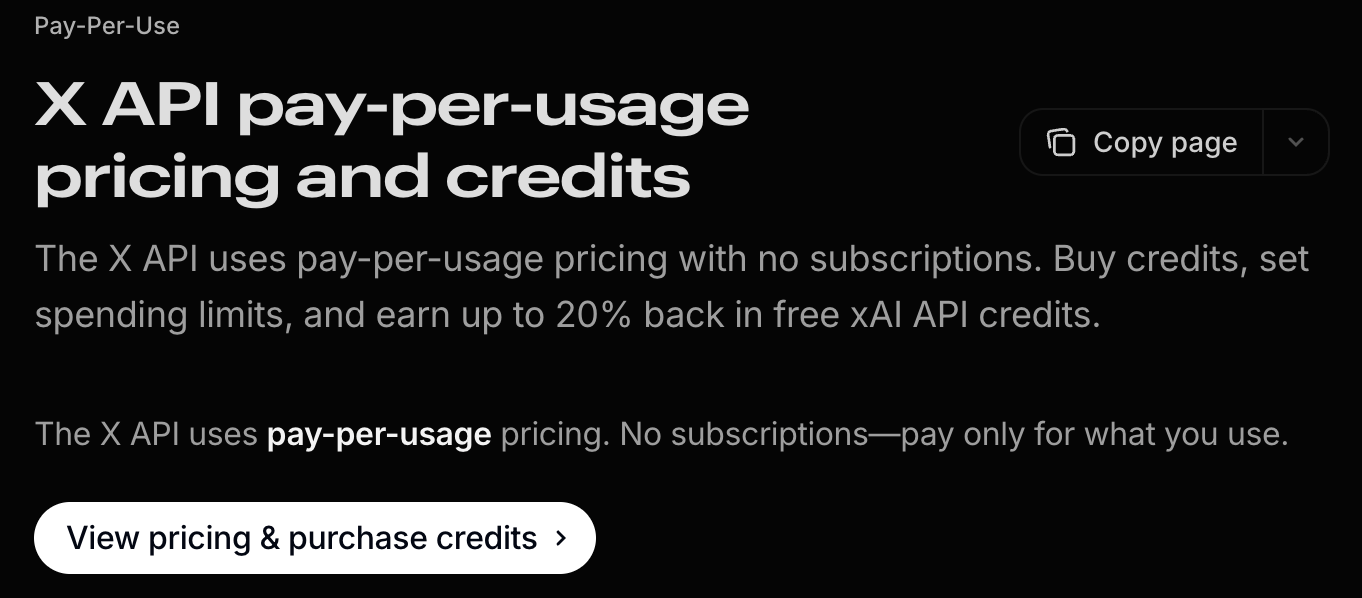
X API access is not the same as opening the X app. When Claude Code reads posts, searches topics, or pulls bookmarks through the API, those requests can cost money depending on what you pull and how much you pull.
For my use case, this is still worth it because I am using X as a research source for work I already do every week. But I would not want anyone to set this up thinking it is automatically free.
X’s API pricing page says the API uses pay-per-usage credits. You buy credits in the Developer Console, and credits are deducted as you make API requests. You’re charged based on how many resources are returned.
For example, the current X pricing page lists:
Posts: Read at $0.005 per resource.
User: Read at $0.010 per resource.
Counts: Recent at $0.005 per request.
Trends at $0.010 per request.
Owned Reads at $0.001 per resource when the request is made by your own developer app for your own data.
That means the rough math is not scary if you start small:
A topic research run that pulls 50 posts is about $0.25.
A digest across 20 accounts pulling 10 posts each is about $1.00.
Pulling 300 of your own bookmarks through the Owned Reads lane is about $0.30.
Those numbers are small enough for how I use this, because I typically run my research every week and have a few trusted people whose tweets I check for new ideas. But if you start pulling full archives, huge account lists, or repeated batches without reviewing the output, the cost can climb. Be careful.
So the rule in my setup is simple:
Start small. Inspect the first batch. Only pull more if the first result is useful.
You can start by adding as little as $5 in credits. Then experiment slowly to understand the costs before adding more money to your account.
What We Are Building: An X Research System
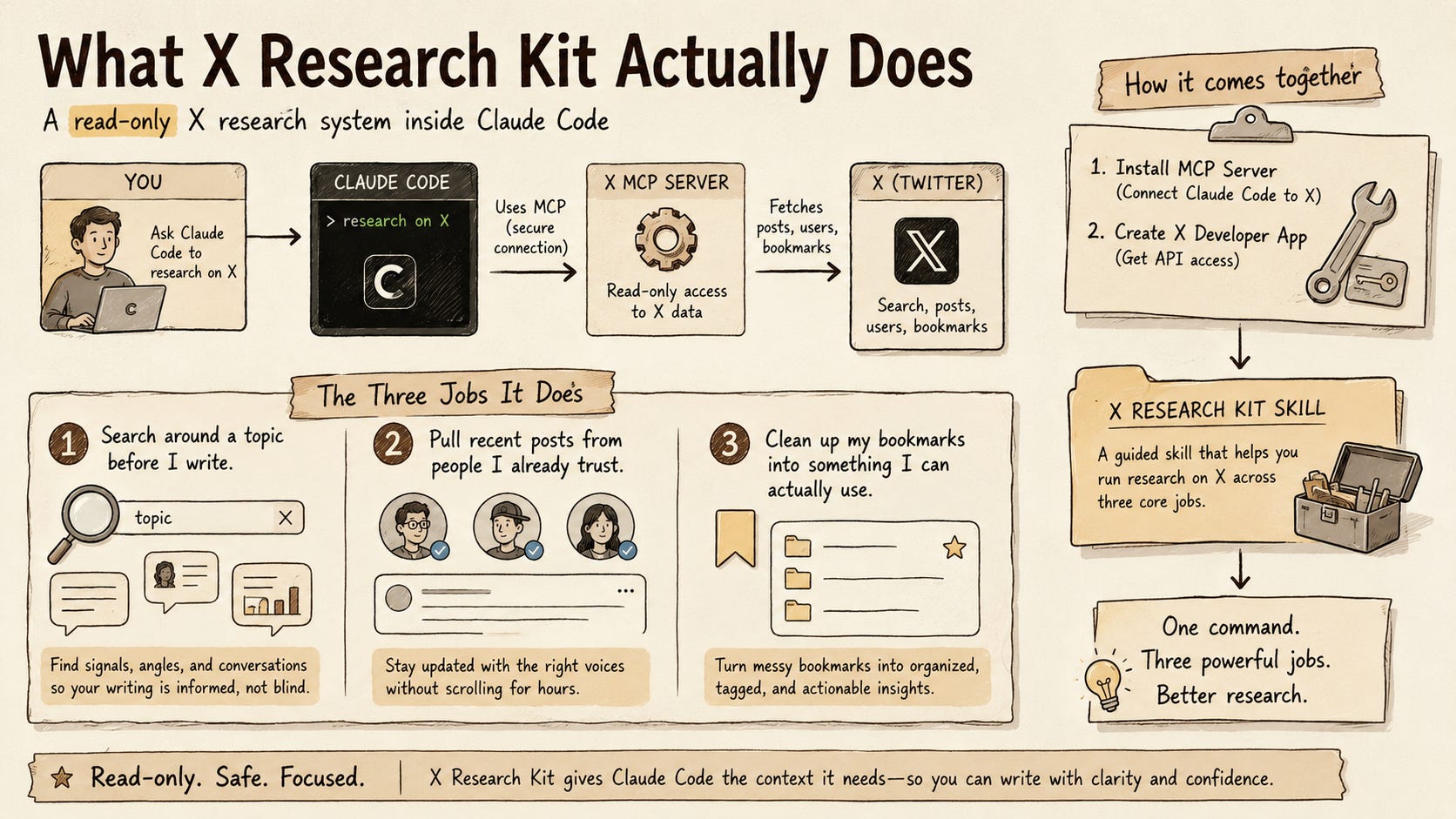
Now that the path and cost are clear, here is the actual setup. We are building a read-only X research system inside Claude Code.
It has three jobs:
Search around a topic before I write.
Pull recent posts from people I already trust.
Clean up my bookmarks into something I can actually use.
The MCP gives Claude Code access to X. I’m going to show you how to install it, because it takes some work and it’s not an instant thing to do. You’ll need to create an app using an X Developer account, but I promise it’s not that hard if you just follow my instructions. You can get this done in about 15–20 minutes.
X Research Kit Skill
Then I’m going to share a new skill I built to start running research on X called X Research Kit. This skill will guide you through running research on X that does the three jobs I mentioned earlier.
Without the skill, I still have to keep explaining what to pull, what to ignore, how much to fetch, and what kind of brief I want back.
The skill turns that into a repeatable flow.
For example, I can ask:
“Use the x-research-kit skill. Search X for what people are saying about browser agents this week. Start with a small pull, remove obvious noise, and give me a topic research brief.”
Or:
“Use the x-research-kit skill. Pull recent posts from my trusted account list and tell me which new AI workflows are worth testing.”
Or:
“Use the x-research-kit skill. Pull my latest bookmarks, group them by theme, and tell me which ones could become a draft, a test, or a knowledge-base source.”
These are things that you can do if you follow this post until the end. By the end, you’ll be able to research any topic and any accounts you want across X.
Whenever you are ready, let’s dive in!
Wiring X Into Claude Code
There are five steps you’ll go through in this tutorial, from setting up your X app all the way to troubleshooting.
Let’s get started.
Step 1: Set up your X app
To connect Claude Code to X, you need an app in the X Developer Console.
Go to console.x.com, then sign in.