

The Complete Guide to the Context Folder That Changed How I Work With AI Agents
The seven-file setup I use to give Claude Code, Codex, and other agents the source material they need before I ask.


A few months ago, I opened a new Claude Code conversation to think through a product decision.
The answer was reasonable. Useful enough. But disconnected.
It did not know which products I already had. It did not know which audience pain point I had heard from members the week before. It did not know what I was trying to avoid. So it gave me the kind of advice that sounded fine and still missed the actual situation.
That same gap showed up during the first AI Maker monthly Q&A for paid members. Eight people asked eight different questions. One person asked about master prompts for Substack growth. Another asked where the money actually is in AI right now. Someone else asked about prompt libraries versus Claude Skills. Then we got into CLAUDE.md, project setup, my current stack, and what I would set up before starting something new.
If there’s one thing I can conclude across these questions, it’s that they all come from the same problem underneath: Maker Lab members are asking how to give AI enough of their world that the answers stop feeling generic.
I recognized it because I had been doing the same thing.
As some of you might already know, I run my newsletter inside Claude Code. In the beginning, my setup was thin, and that was fine: a few rules, a couple of draft examples, some folder structure. Claude could generate good output because the work was still simple enough.
That stopped being true sometime this year. The newsletter expanded into free posts, paid posts, LinkedIn, Substack Notes, live recaps for One Shot Show, infographics, product decisions, member sessions, survey analysis, and a growing list of business calls I wanted to think through with AI. My work got more specific, and my setup did not catch up fast enough.
The prompt was not the real problem
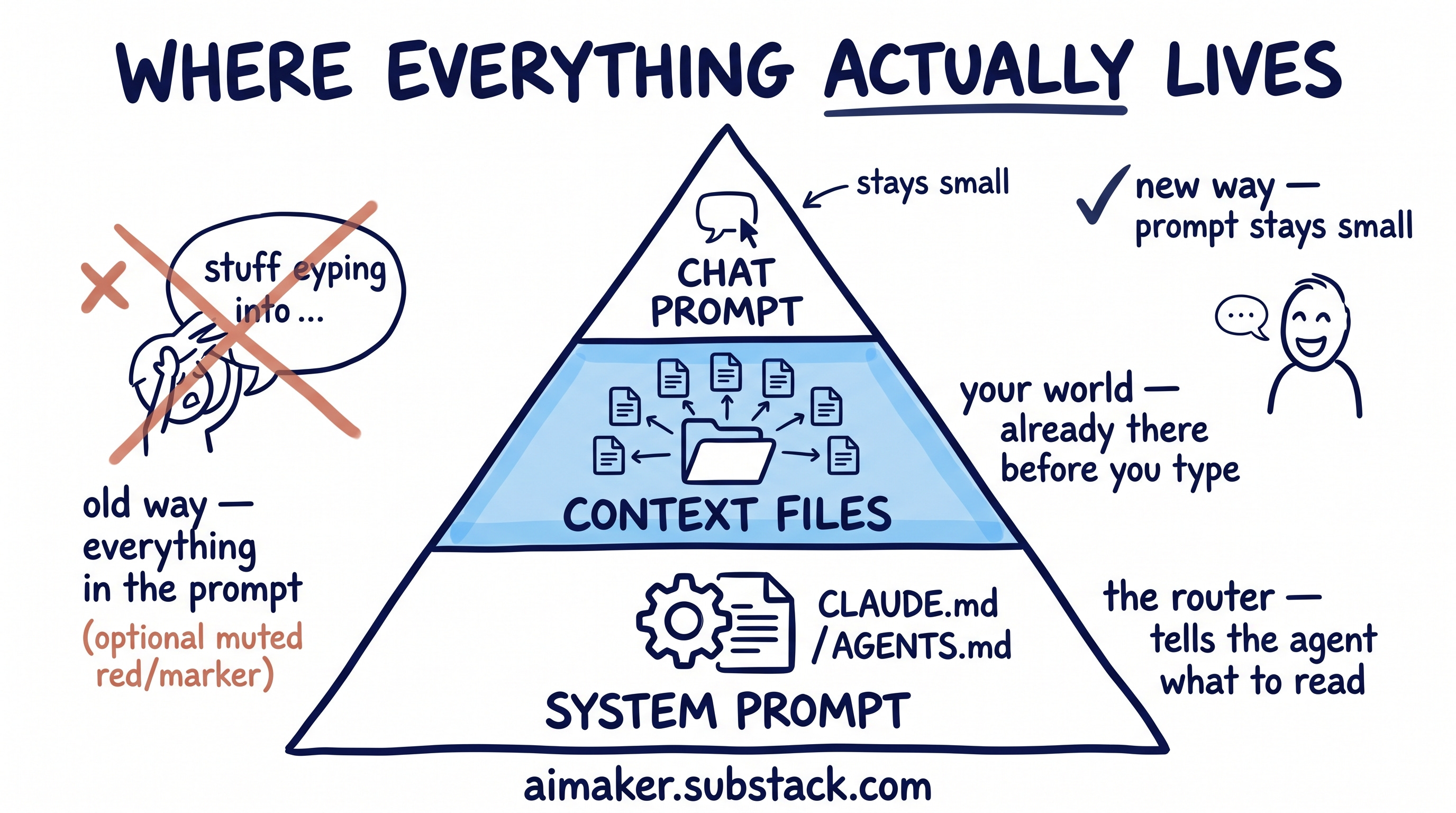
My first instinct was to fix it inside the prompt. I would paste in the existing products. Then the audience. Then recent member feedback. Then whatever constraint I was thinking about that day. The prompt kept getting longer. The output got better, sure. But I was rebuilding my world from scratch every time I started a new chat.
And honestly, that was my mistake because I kept treating the prompt like the place where everything needed to live.
The real problem was one layer below the prompt. If the agent already knew the important parts of my world before I started typing, I would not need to paste them in every time. The prompt could stay small because the source material was already there.
Andrej Karpathy has been calling this “context engineering,” which I think is the right frame. His point is that serious AI work is less about writing a clever prompt and more about filling the model’s context window with the right information for the next step.


That clicked for me because it named the thing I kept running into. I was trying to fix generic answers at the prompt layer, but the missing piece was the material underneath the prompt.
That is the shift this post is about.
If you have followed my Claude Code work, this sits underneath the last two pieces I wrote. The blank folder setup guide was about giving your project enough material for the agent to read. The agent harness post was about the system around the model: the rules, checks, corrections, and review loops that help the agent improve over time.
This post is about the material those systems read.
The truth about your work. Your audience. Your taste. Your decision rules. Your current products. The things you keep repeating in prompts because the agent does not know them yet.
I have been running my own version for a few months. Some of it is working. Some of it I am still rewriting. You are going to see both.
The context folder I built
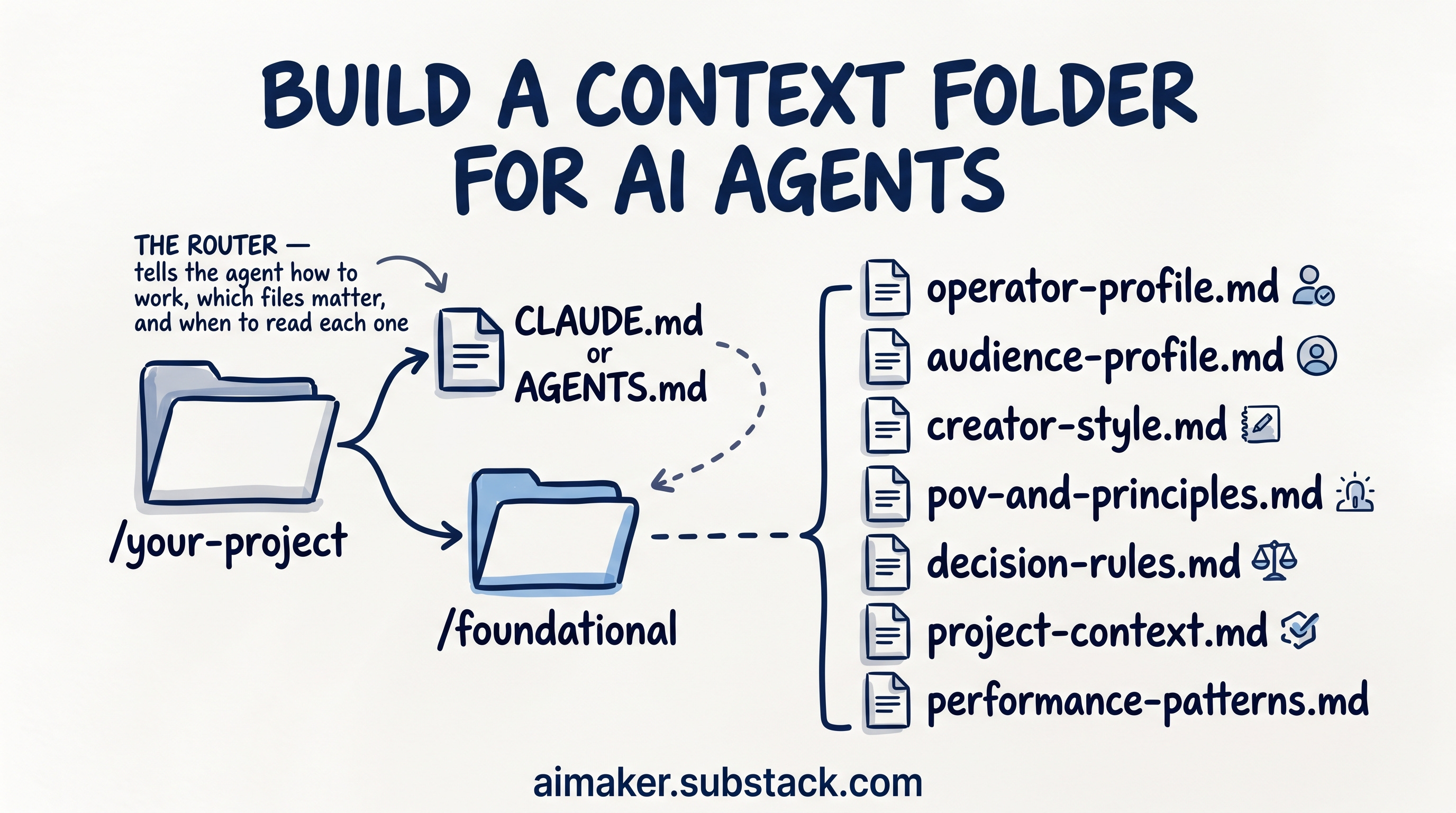
The setup is one folder. Inside your project, next to the instruction file your tool already reads, you add a folder called /foundational.
If you use Claude Code, that instruction file is usually CLAUDE.md. If you use Codex, it is usually AGENTS.md.
/your-project
  CLAUDE.md or AGENTS.md
  /foundational
    operator-profile.md
    audience-profile.md
    creator-style.md
    pov-and-principles.md
    decision-rules.md
    project-context.md
    performance-patterns.md
The instruction file is the router. It tells the agent how to work, which files matter, and when to read each one.
The /foundational folder is the source material. Instead of telling the agent what to do, it tells the agent what is true. That distinction took me longer to understand than I want to admit.
At first, I tried to put everything into CLAUDE.md: audience notes, voice rules, tier decisions, product details, current priorities, and anything else I wanted Claude to remember. It felt convenient until the file started getting heavy.
If I asked Claude to fix a typo in a Substack Note, it still had to carry my LinkedIn rules, my paid post boundaries, my product strategy, and a bunch of other material that had nothing to do with the task.
The file was full of useful information. That was the problem. Useful information in the wrong moment still makes the agent worse.
So I split the truth into separate files: one for audience, one for voice, one for decision rules, one for current project context, one for principles, one for performance patterns, and one for how I like to work.
💡 This technique is called progressive disclosure because you only reveal the slice of truth the model needs for the next move. The rest stays in separate files—ready, but hidden—so each prompt is focused, low-noise, and easy to evolve without rewriting your whole “truth stack.”
If I ask for a LinkedIn hook, it reads the audience file and the voice file. If I ask whether a topic should be free or paid, it reads the decision rules. If I ask for product ideas, it reads the audience file, project context, and principles.
That is the whole idea: small files, clear purpose, loaded only when useful.
What this changes
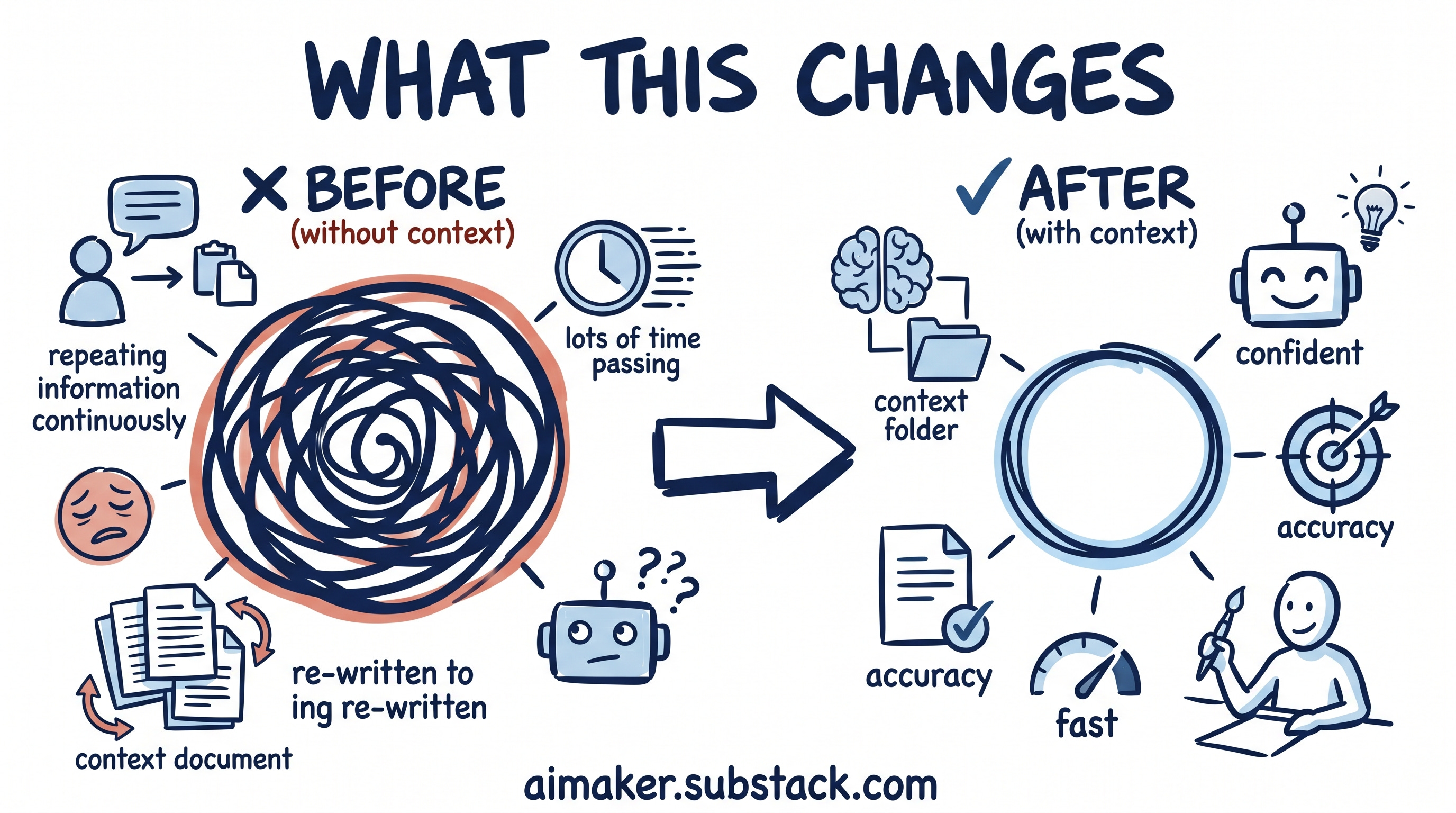
The goal here is more modest than perfect AI: a better starting point.
After this is set up, your agent should know the basic truth before you ask the question. It should know who the work is for, what you are building, how you like to make decisions, what your voice sounds like, and which constraints matter for the task in front of it.
That does not mean the first answer becomes final. It still needs your judgment. But it should start closer to the real situation.
You spend less time rebuilding the same background in every prompt, and more time doing the part only you can do: noticing what feels wrong, sharpening the decision, and updating the source material so the next answer starts stronger.
That matters because most AI work is a loop. You ask, review, correct, sharpen, and ask again.
If the first version starts generic, the whole loop gets heavier. If the first version starts closer to your actual work, the loop gets easier to steer.
What you will build for AI context management
The rest of this post walks through the version I am using right now.
By the end, you will have:
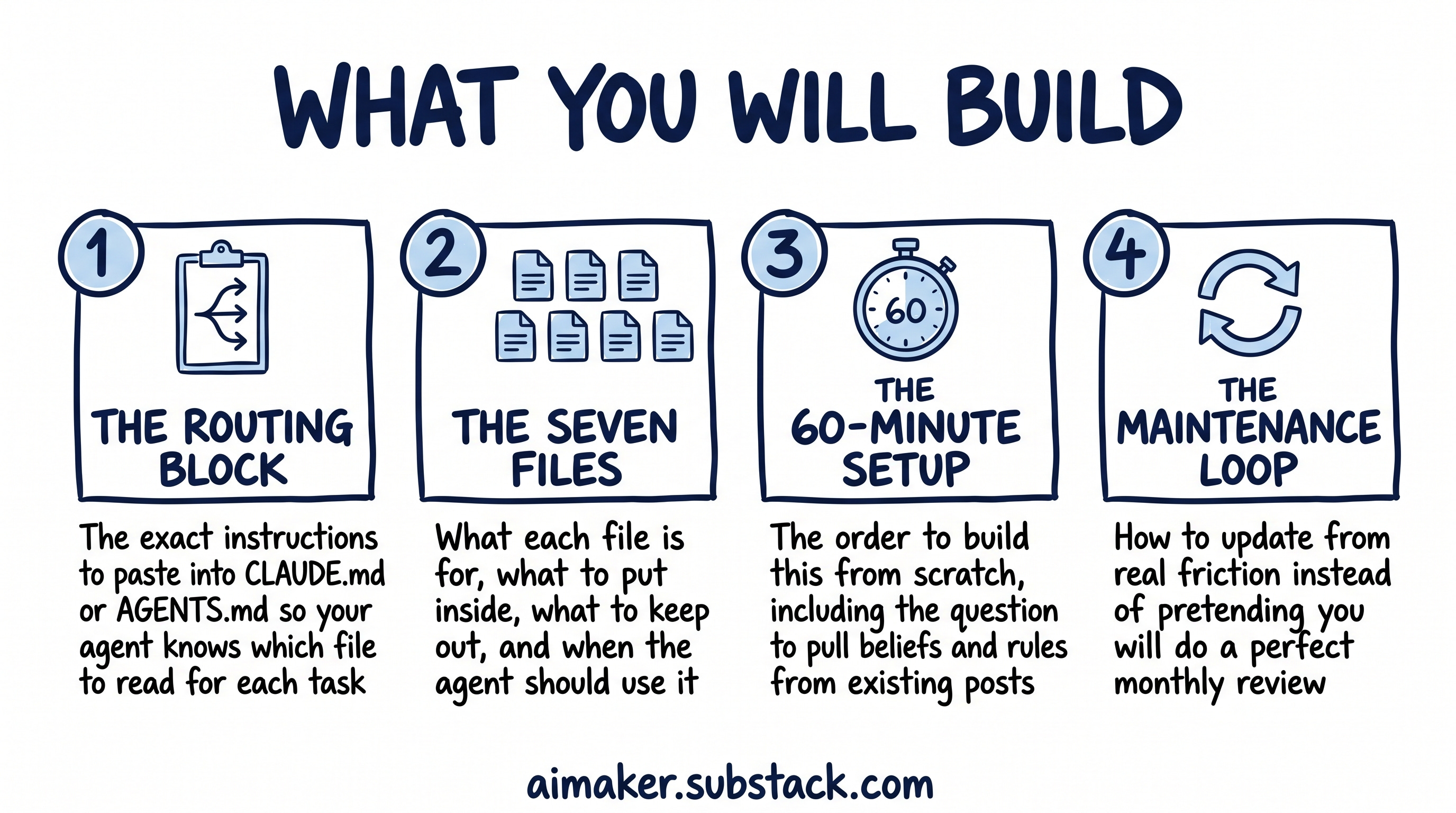
The routing block: The exact instructions you can paste into CLAUDE.md or AGENTS.md so your agent knows which foundational file to read for each kind of task.
The seven files: What each file is for, what to put inside it, what to keep out, and when the agent should use it.
The 60-minute setup process: The order I would build this in if I were starting again, including the question I use to pull beliefs and rules from my existing posts.
The maintenance loop: How to update the folder from real friction instead of pretending you will do a perfect monthly review.
If you want a context folder that tells the agent enough truth about your work that it can stop guessing, this post is for you.
This context folder works whether you use Claude Code, Cowork, Codex, Cursor, or any other AI agents.
Let’s build it.
🚨 This post is longer than usual because I had to include all the necessary templates you can easily copy, while also sharing how I use them to build AI Maker. This means it contains detailed examples of my own setup so you can see everything clearly and adjust it to your own work.
The routing instructions
The first thing I would add is the routing instruction.
This goes in the file your agent already reads before doing work. Here is the version I would start with: